
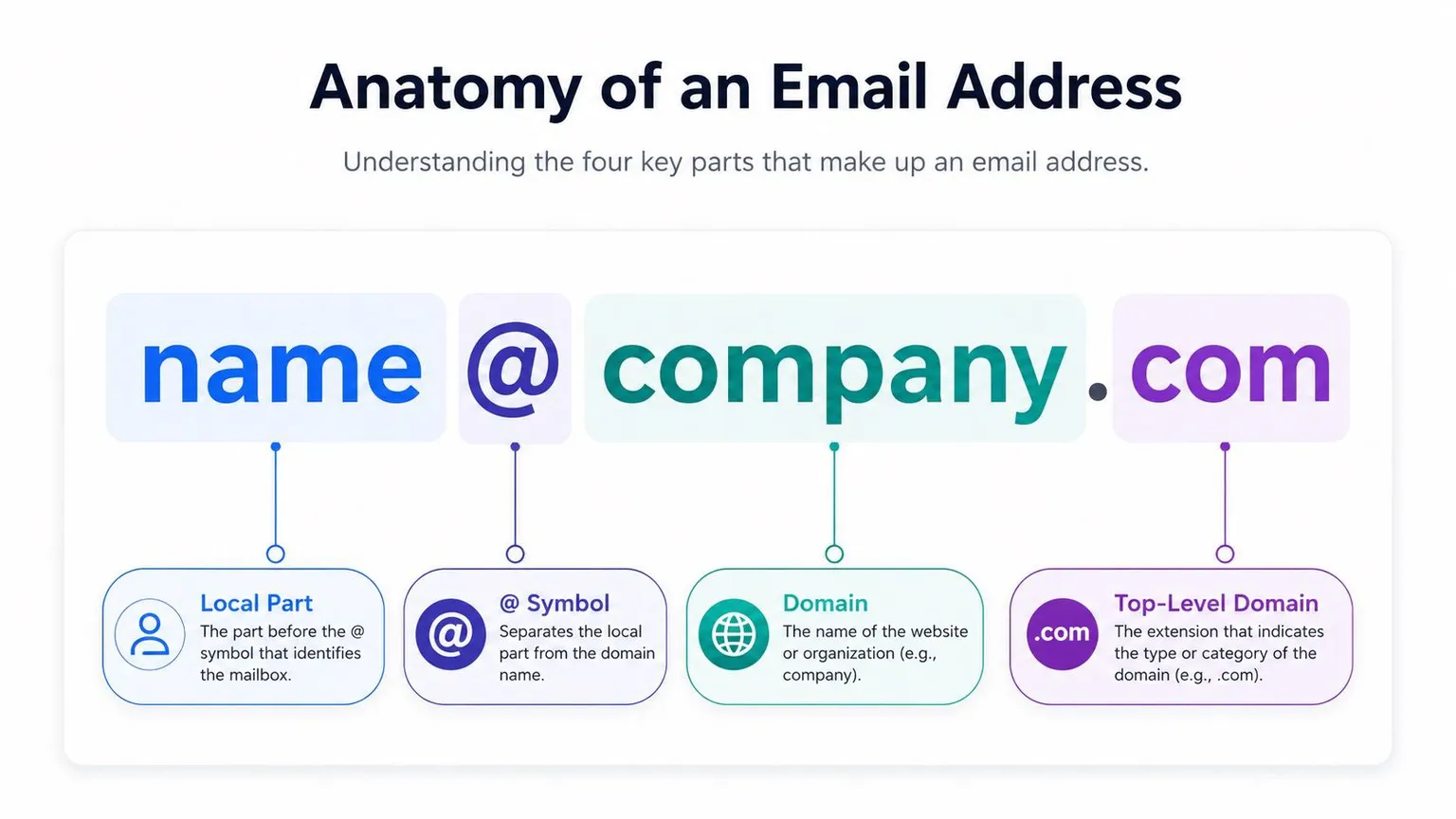
Quick answer: A valid email address follows the format local-part@domain.tld. For example, name@company.com. The local part (before the @) can hold up to 64 characters, the domain (after the @) up to 255 characters, and the full address up to 320 characters in theory, though 254 characters is the practical limit enforced by mail servers. Getting this format wrong is one of the most common and most avoidable causes of email bounces.
Every email address is a small piece of syntax with real consequences. Get one character wrong, and a message doesn't get delayed; it bounces, and bounces damage the sender reputation your entire domain depends on. This guide breaks down the correct email address format, the syntax rules behind it, and how to spot an invalid address before it costs you deliverability and sender reputation.
Table of Contents
What are the components of a valid email address?
The correct email address format
Syntax rules for the standard email format
Email address length limits, explained
Examples of valid and invalid email formats
Standard format for a professional email address
How to catch invalid email formats before you send
Frequently Asked Questions
What are the components of a valid email address?
A valid email address has four parts: the local part, the @ symbol, the domain, and the top-level domain. Each one plays a distinct role in routing a message to the right mailbox.
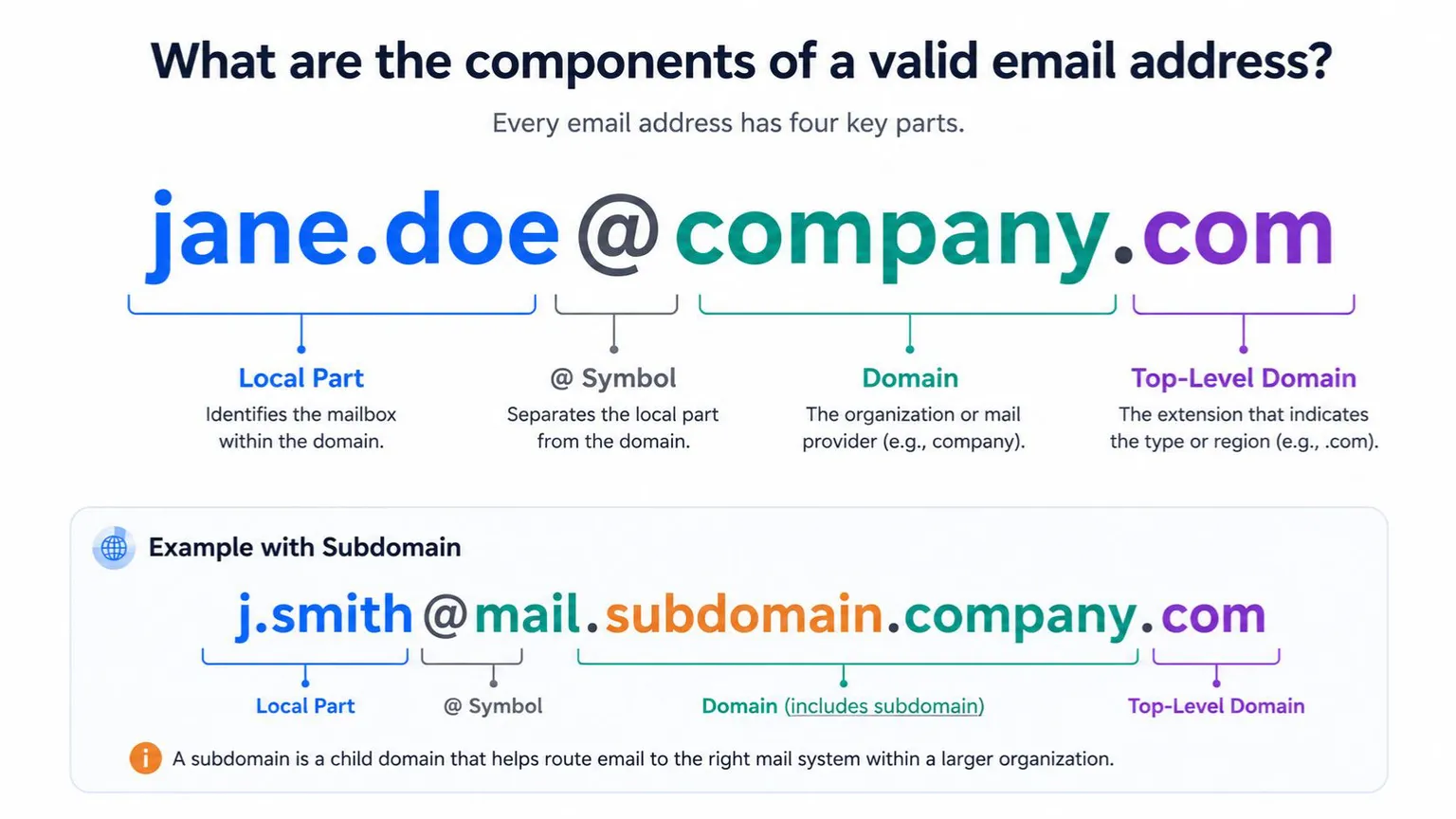 Local part (username): The string before the @ symbol. It uniquely identifies a mailbox within a given domain - think jane.doe in jane.doe@company.com.
@ symbol: The separator required by RFC 5321, the SMTP standard that governs how mail servers route email. It connects the local part to the domain that owns it.
Domain: The organization or mail provider associated with the address, such as gmail.com or company.com. This is what a receiving mail server looks up via DNS to find the right mail exchange (MX) server.
Top-level domain (TLD): The final segment .com, .org, .io, .edu - that classifies the domain by type or region. Domain and TLD together are usually called the suffix; everything before the @ is the prefix.
Local part (username): The string before the @ symbol. It uniquely identifies a mailbox within a given domain - think jane.doe in jane.doe@company.com.
@ symbol: The separator required by RFC 5321, the SMTP standard that governs how mail servers route email. It connects the local part to the domain that owns it.
Domain: The organization or mail provider associated with the address, such as gmail.com or company.com. This is what a receiving mail server looks up via DNS to find the right mail exchange (MX) server.
Top-level domain (TLD): The final segment .com, .org, .io, .edu - that classifies the domain by type or region. Domain and TLD together are usually called the suffix; everything before the @ is the prefix.
Some addresses also include a subdomain, a child domain that identifies a specific mail system within a larger organization, e.g., j.smith@mail.subdomain.company.com.
When you send a message, the sending server queries the recipient's domain to confirm the local part exists there. If the address doesn't match this format, or the local part isn't recognized, the message bounces — there's no valid destination to deliver it to. This is also why email format and email deliverability are directly connected: a syntactically broken address will never reach an inbox, no matter how good your content is.
The correct email address format
The standard format is local-part@domain.tld. If a subdomain is involved, the format becomes local-part@subdomain.domain.tld.
 International addresses sometimes append a country-code identifier after the TLD, such as name@company.co.uk or name@company.com.jp. When you're validating contacts from outside the US, check for this pattern before flagging an address as malformed - it's a legitimate variant, not an error.
Syntax rules for the standard email format
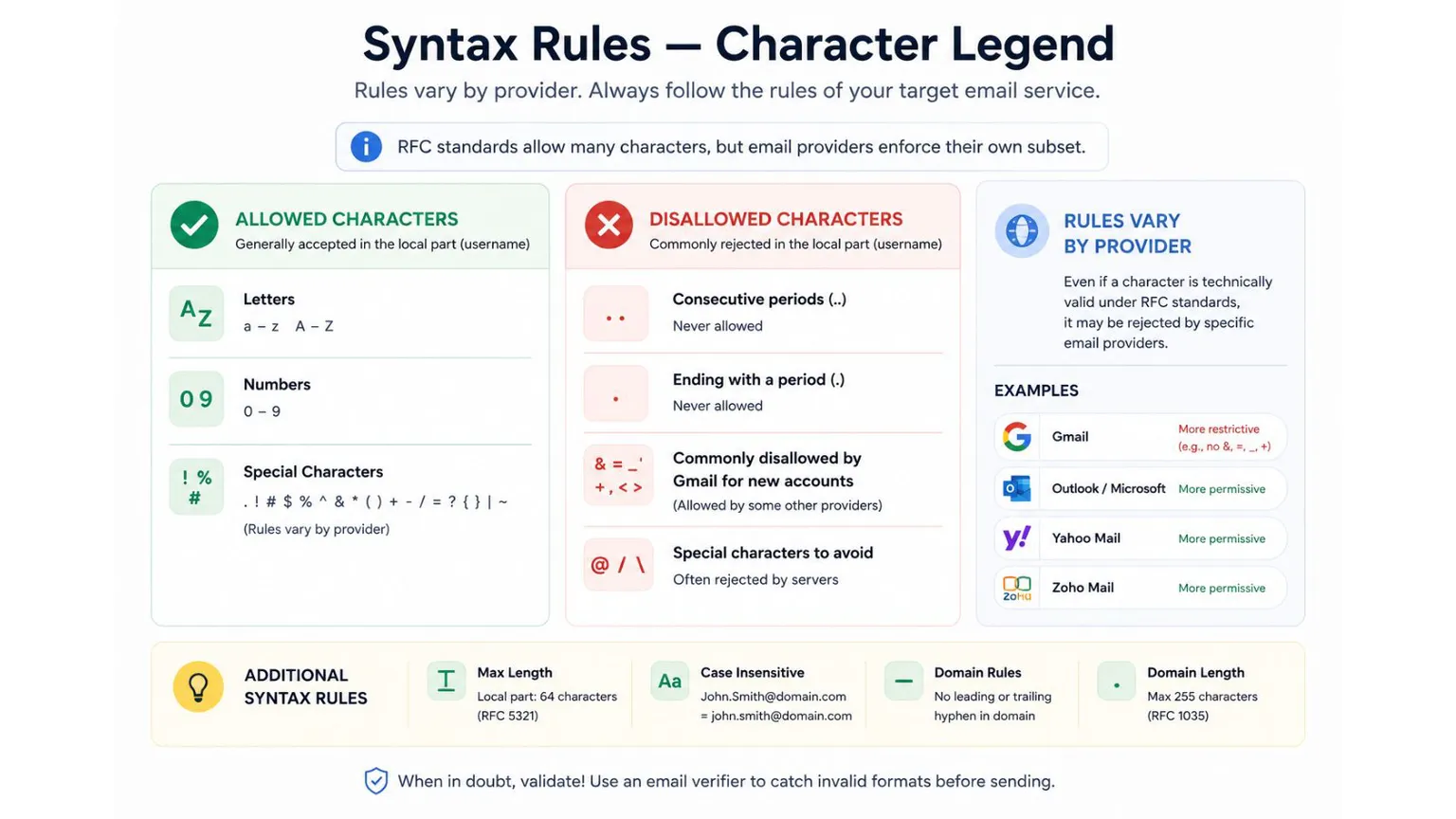
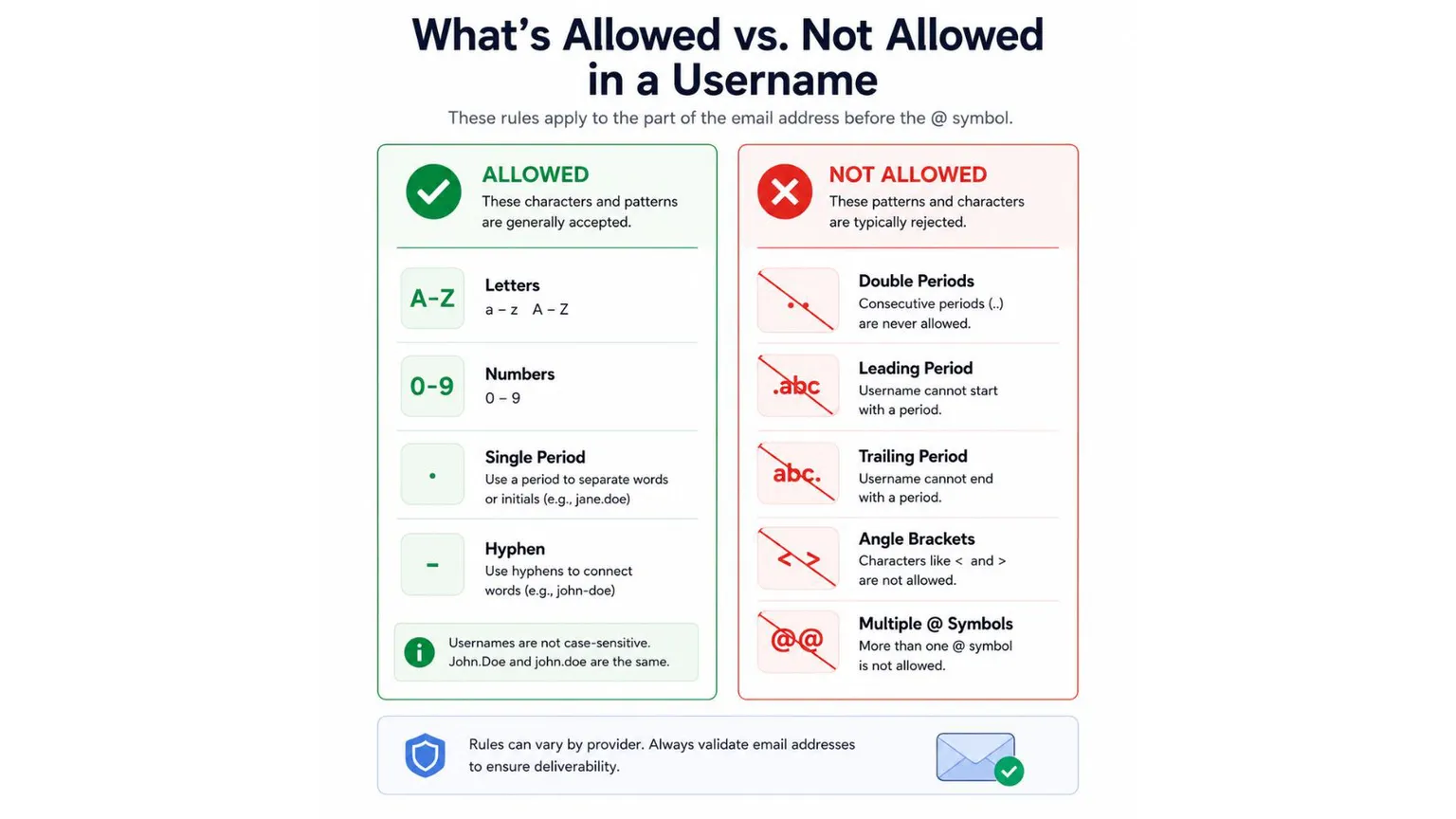 RFC 5321 and RFC 5322, the IETF standards that define email syntax set the technical rules for what's allowed in each part of an address. In practice, individual email service providers (ESPs) enforce their own subset of these rules, which is why the "same" invalid character can be rejected by Gmail but accepted by Outlook.
Local part (username) rules:
Letters (a–z, A–Z), numbers (0–9), and certain special characters are allowed under RFC 5322. Google's account creation rules, for example, disallow the ampersand (&), equals sign (=), underscore (_), apostrophe ('), dash (-), plus (+), comma (,), and angle brackets (< >) in new Gmail usernames - though some of these are technically legal under the RFC and accepted by other providers. Consecutive periods (..) are never allowed, and a username cannot end in a period. Maximum length: 64 characters, per RFC 5321 section 4.5.3.1.1. Gmail additionally caps new usernames at 30 characters. Casing is not meaningful: John.Smith@domain.com and john.smith@domain.com route to the same mailbox in virtually all implementations.
Domain rules:
Letters, numbers, hyphens, and periods (for subdomains) are allowed. A domain cannot start or end with a hyphen. Maximum length: 255 characters, per RFC 1035 (the DNS standard) as referenced in RFC 5321.
Providers like Yahoo, Outlook, and Zoho permit a wider range of special characters in the local part than Gmail does. Even when a character is technically valid, avoid uncommon ones (a second @ symbol, a forward slash) - receiving servers frequently reject them regardless of what the RFC allows, which turns a "technically valid" address into a practically undeliverable one.
Email address length limits, explained
The theoretical maximum length of an email address is 320 characters: 64 for the local part, 1 for the @ symbol, and 255 for the domain. In practice, the usable limit is shorter.
RFC 5321 section 4.5.3.1.3 caps the total length of a reverse-path or forward-path the address as it appears in the SMTP envelope, including angle brackets and separators at 256 octets. Once you subtract the punctuation the envelope adds, that leaves roughly 254 characters as the safe practical maximum for the address itself.
ComponentRFC-defined maximumLocal part64 characters@ symbol1 characterDomain255 charactersTheoretical total320 charactersPractical limit (SMTP envelope constraint)~254 characters
For list hygiene purposes, treat anything meaningfully longer than 254 characters as a red flag - it's either a malformed address or one that will fail during the SMTP handshake with at least some mail servers.
Examples of valid and invalid email formats
| Valid Email | Invalid Email | Why it's invalid |
|---|---|---|
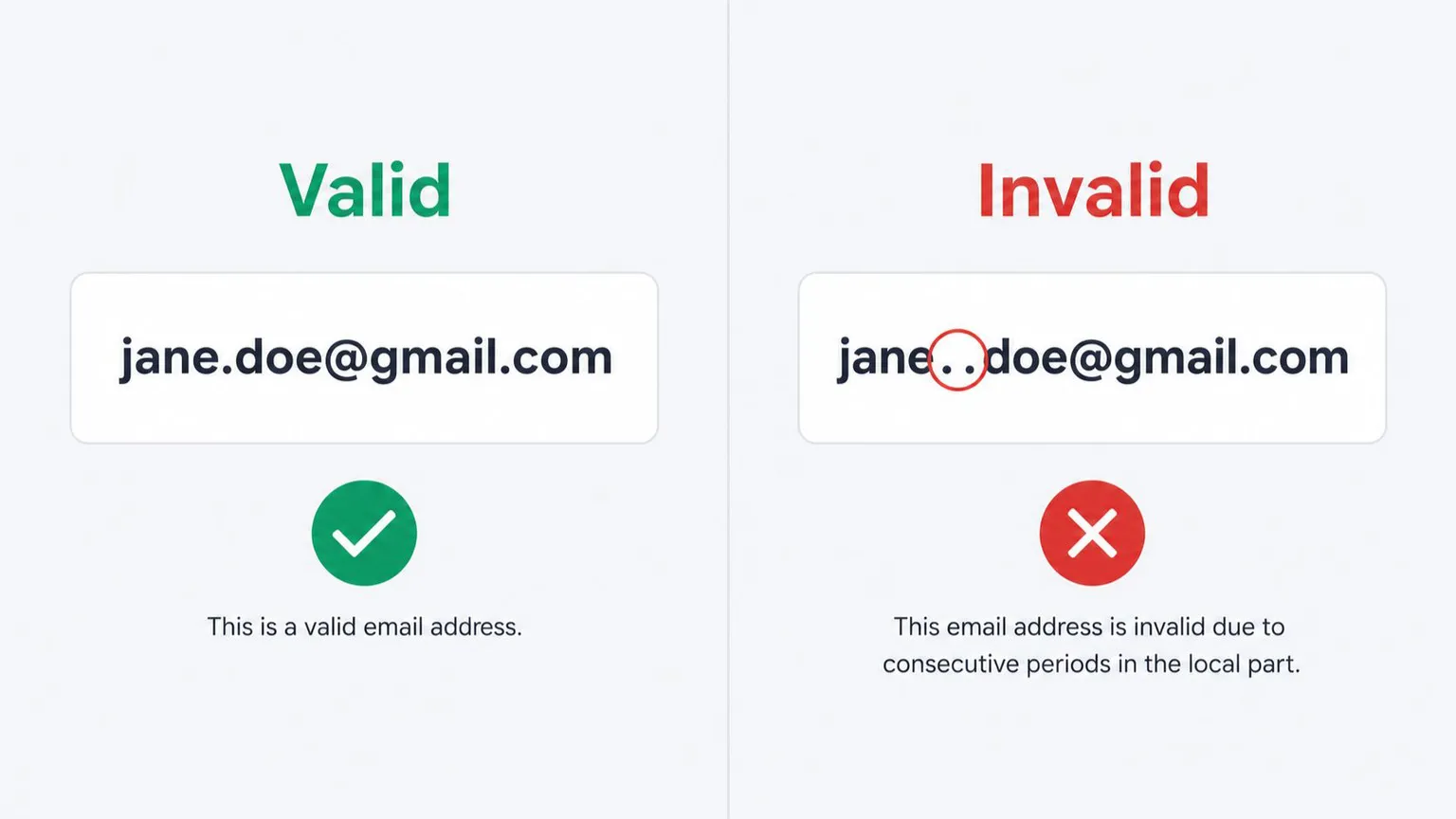
| jane.doe@gmail.com | jane..doe@gmail.com | Consecutive periods aren't allowed |
| support22@company.edu | john@support@company.edu | Two @ symbols |
| craig.smith02@outlook.com | craigsmith02-@outlook.com | Username ends in a hyphen |
| roger.d@outlook.com | roger.d@outlook | Missing top-level domain (TLD) |
| tom@newsletter.company.net | thomas22@newsletter.company | Missing top-level domain (TLD) |
| support@company.ca | john@support#company.ca | Disallowed character (#) in the domain |
Standard format for a professional email address
A professional email address should be short, follow standard format rules, and use a domain that reflects your identity or company. Beyond correct syntax, a few conventions separate a professional address from an amateur one.
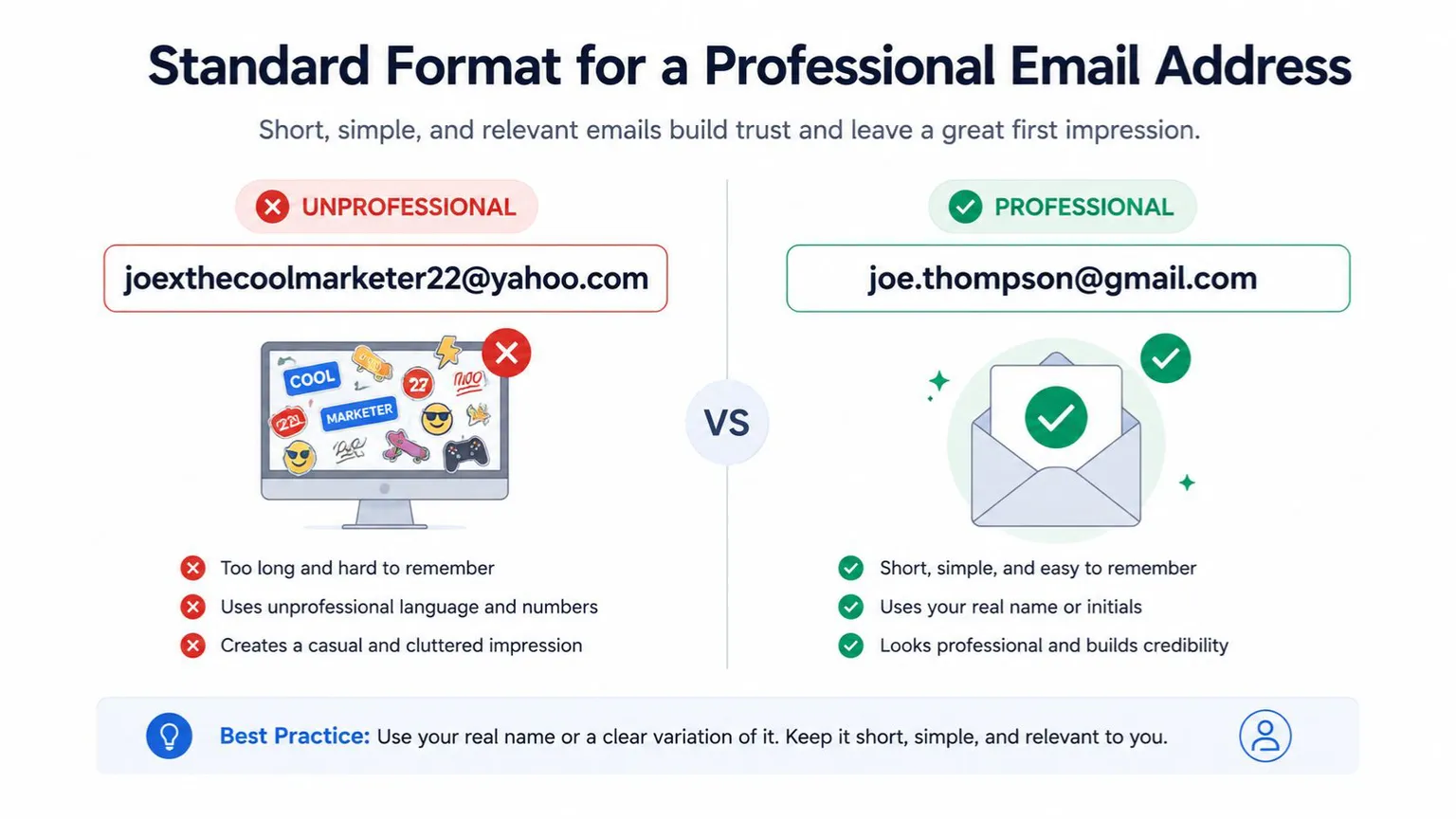 Keep it simple. Compare joexthecoolmarketer22@yahoo.com to joe.thompson@gmail.com, the second is easier to remember, easier to type correctly, and reads as more credible in a B2B context.
Use a custom domain. A company-branded domain (name@yourcompany.com) reinforces brand recognition and signals legitimacy, both to human recipients and to spam filters, which weight established, consistently-used domains more favorably than free webmail domains.
Abbreviate long names. first_initial.last_name@domain or first_name.last_initial@domain keeps things memorable without sacrificing clarity.
Use role-based addresses for shared inboxes. support@company.com, hr@company.com, and similar role-based formats work well for teams, though they're worth flagging separately in your CRM- role-based addresses often have different deliverability and engagement patterns than individual addresses (see the FAQ below).
Keep it simple. Compare joexthecoolmarketer22@yahoo.com to joe.thompson@gmail.com, the second is easier to remember, easier to type correctly, and reads as more credible in a B2B context.
Use a custom domain. A company-branded domain (name@yourcompany.com) reinforces brand recognition and signals legitimacy, both to human recipients and to spam filters, which weight established, consistently-used domains more favorably than free webmail domains.
Abbreviate long names. first_initial.last_name@domain or first_name.last_initial@domain keeps things memorable without sacrificing clarity.
Use role-based addresses for shared inboxes. support@company.com, hr@company.com, and similar role-based formats work well for teams, though they're worth flagging separately in your CRM- role-based addresses often have different deliverability and engagement patterns than individual addresses (see the FAQ below).
How to catch invalid email formats before you send
Manually checking every address against these syntax rules doesn't scale past a handful of contacts - this is what email verification tools are built to automate. Syntax is only the first layer of a valid address; a string can be perfectly formatted (name@fakecompany123.com) and still be undeliverable if the domain has no mail server, the mailbox doesn't exist, or the domain is a disposable one.
This is where format checking and full email verification diverge:
Syntax validation confirms the address matches RFC rules - the local part, @ symbol, domain, and TLD are all structurally correct. Domain/MX validation confirms the domain actually has a mail server configured to receive messages. SMTP-level verification connects to that mail server and confirms the specific mailbox exists, without sending an actual email. Additional checks - disposable domain detection, catch-all flagging, role-based address identification - catch addresses that are technically deliverable but risky to send to.
MailValid runs all four checks in a single API call or bulk upload, rather than requiring separate integrations for syntax, MX lookup, and mailbox verification. For a marketing team importing a list of a few thousand signups, or a developer validating addresses at the point of signup, that consolidation matters: mailbox providers throttle or block senders whose bounce rates climb too high, and most avoidable bounces trace back to exactly the kind of format and mailbox-existence issues covered above.
Practically, that means:
Before a bulk send: upload your list for bulk verification and remove anything flagged invalid, disposable, or high-risk before it touches your sender reputation. At the point of signup: call the verification API in real time so malformed or fake addresses never make it into your database in the first place.
Either approach addresses the same underlying problem this guide has been building toward, a message can only be as good as the address it's sent to, and format is the first, cheapest thing to get right.
Frequently Asked Questions
What is the correct format for an email address?
The correct format is local-part@domain.tld - for example, name@company.com. The local part identifies the mailbox, the @ symbol separates it from the domain, and the domain plus top-level domain identify the mail server responsible for that address.
What characters are not allowed in an email address?
Consecutive periods, a username starting or ending in certain special characters, and multiple @ symbols are never allowed under RFC 5322. Beyond that, allowed special characters vary by provider - Gmail is stricter than Outlook, Yahoo, or Zoho about characters like +, -, _, and & in new usernames, even though several of these are technically permitted by the RFC.
What is the maximum length of an email address?
The theoretical maximum is 320 characters (64 for the local part, 1 for the @ symbol, 255 for the domain), per RFC 5321 and RFC 5322. Because of an additional SMTP path-length constraint in RFC 5321 section 4.5.3.1.3, the practical safe maximum is closer to 254 characters.
Are email addresses case-sensitive?
The domain portion is never case-sensitive. The local part is technically allowed to be case-sensitive under the RFC, but almost no mail providers treat it that way in practice - John.Smith@domain.com and john.smith@domain.com will reach the same inbox on virtually every major provider.
What's the difference between an invalid email format and an undeliverable email address?
An invalid format fails basic syntax rules (missing @, wrong TLD, disallowed characters). An undeliverable address can be perfectly formatted but still bounce - the domain might not exist, the mailbox might have been deleted, or the domain might not accept mail at all. Catching format errors requires a regex or syntax check; catching undeliverable-but-valid-looking addresses requires MX lookup and SMTP-level verification.
Is a role-based email address (like info@ or support@) a valid format?
Yes, role-based addresses follow standard email format rules. However, many verification tools flag them separately because they're often shared across multiple people, have different engagement patterns than personal addresses, and are sometimes excluded from marketing sends for compliance or engagement-rate reasons.
Can an email address have more than one @ symbol?
No. RFC 5321 permits only one unescaped @ symbol per address, separating the local part from the domain. An address with two @ symbols outside of a quoted string is invalid and will be rejected.
MailValid Team
Email verification experts
Join teams that verify before they send
Stop letting bad emails hurt your deliverability
100 free credits. From $0.0008/email after. Credits never expire. No credit card required.