
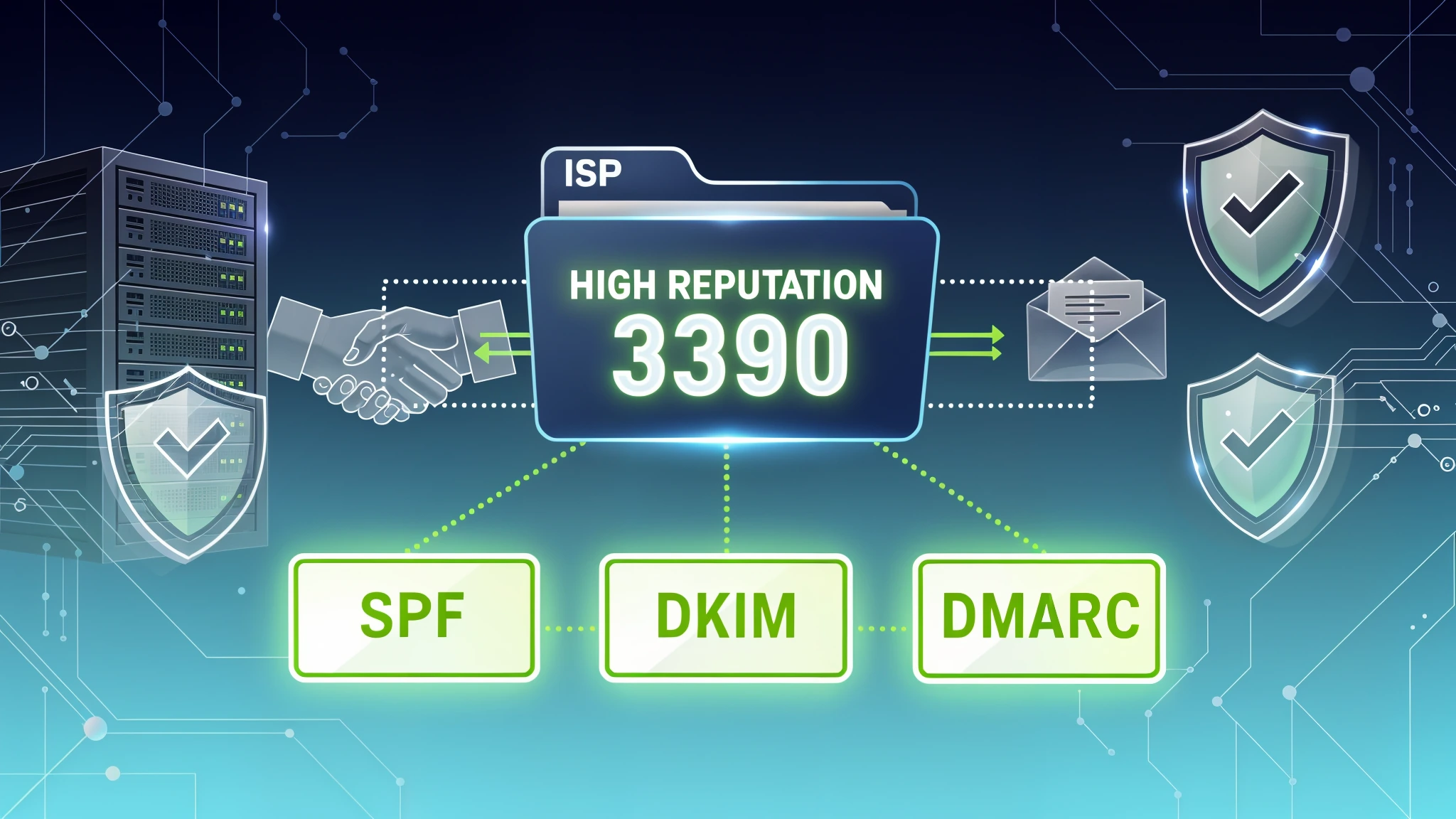
What Is Email Sender Reputation and Why It Defines Your Deliverability in 2026
Email sender reputation is the single most important factor determining whether your messages land in the inbox, get filtered to spam, or never arrive at all. In 2026, mailbox providers like Gmail, Yahoo Mail, and Microsoft Outlook have evolved their filtering systems to the point where technical correctness alone is no longer sufficient — your sending behavior, authentication posture, and historical patterns all feed into a dynamic reputation score that updates in near real-time.
Think of sender reputation as a credit score for your email infrastructure. Just as a lender evaluates your financial history before approving a loan, inbox providers evaluate your sending history before deciding where to place your message. A single high-volume blast to an unvalidated list can tank a reputation that took months to build.
Inbox placement rates can drop sharply within hours of a spike in complaint rates. That's the margin between a successful campaign and a deliverability problem.
This guide covers everything a technical sender needs to know in 2026: the signals that determine your reputation score, DNS authentication requirements, blacklist management, monitoring tools, and actionable Python code to automate reputation checks. Whether you're managing transactional email infrastructure or high-volume marketing campaigns, the following sections will give you a complete operational framework.
The Four Core Signals That Determine Your Sender Reputation
Mailbox providers don't publish their exact reputation algorithms, but years of industry research and feedback loop data have made the primary signals well understood. Your reputation is a composite of four major categories.
Bounce Rate
Hard bounces — permanent delivery failures caused by non-existent or invalid email addresses — are the most damaging signal you can send. When you repeatedly attempt to deliver to addresses that don't exist, you signal to receiving mail servers that your list hygiene is poor. A hard bounce rate above 2% is considered dangerous by most deliverability experts, and anything above 5% can trigger automatic filtering or even block-listing.
Soft bounces (temporary failures like full mailboxes) are less severe but still worth monitoring. A sustained pattern of soft bounces from the same domain often indicates a systemic problem with how those addresses were acquired or how recently the list was validated.
The fix: Validate email addresses before they enter your system. Real-time API validation at the point of capture eliminates the majority of invalid addresses before they ever make it into a send. Disposable addresses are also a major source of eventual bounces and low engagement, so disposable detection matters just as much as basic validity.
Complaint Rate
Spam complaints are weighted more heavily than almost any other signal. When a recipient clicks "Report Spam" in Gmail or Yahoo, that complaint is transmitted back to senders who are registered with feedback loops. Google's Postmaster Tools dashboard shows your complaint rate as a percentage of authenticated messages.
Gmail's published threshold is 0.10% as a warning level and 0.30% as a critical threshold that will cause significant inbox placement degradation. Yahoo uses similar thresholds. In practice, experienced senders aim to keep complaint rates below 0.05% at all times.
Engagement Metrics
Modern inbox providers track opens, clicks, replies, and deletions to infer whether recipients actually want your email. High engagement signals positive reputation; consistent deletion without opening, or moving messages to spam without clicking the button, signals negative reputation.
Gmail's machine learning models are sophisticated enough to detect engagement patterns at the individual recipient level. A message sent to 100,000 recipients will be evaluated differently for each recipient based on their personal interaction history with your domain.
Sending History and Volume Patterns
Sudden volume spikes are a major red flag. If your domain has been sending 500 emails per day for three months and you suddenly send 50,000, filtering algorithms treat that spike as suspicious regardless of your other signals. This is why IP and domain warm-up is essential before high-volume sends.
Consistent sending patterns — regular cadence, stable volume growth, predictable content categories — all contribute positively to reputation. Erratic sending behavior, long gaps followed by large blasts, and frequent changes to sending infrastructure all carry negative weight.
SPF, DKIM, and DMARC: The Technical Foundation of Authentication
Authentication is not optional in 2026. Gmail and Yahoo announced new bulk sender requirements in October 2023, with enforcement beginning in February 2024 — and those requirements have remained in place and expanded through 2026. They mandate SPF and DKIM for all bulk senders. DMARC is required for senders exceeding 5,000 messages per day. Here's exactly how to implement each one.
SPF (Sender Policy Framework)
SPF is a DNS TXT record that specifies which mail servers are authorized to send email on behalf of your domain. Receiving servers perform a DNS lookup on the sending domain and check whether the sending IP address is listed.
Example SPF record:
v=spf1 include:_spf.google.com include:sendgrid.net include:mailgun.org ip4:203.0.113.10 ~all
Breaking down the syntax:
v=spf1— declares this as an SPF recordinclude:_spf.google.com— authorizes all IPs in Google's SPF recordinclude:sendgrid.net— authorizes SendGrid's sending infrastructureip4:203.0.113.10— explicitly authorizes a specific IP address~all— soft fail for all other sources (use-allfor hard fail once you're confident in your configuration)
Critical SPF limitations to know:
- SPF has a 10 DNS lookup limit. Exceeding this causes SPF to fail. Use tools like MXToolbox to count your lookups.
- SPF only evaluates the
Return-Path(envelope from), not theFromheader visible to recipients. This is why DKIM and DMARC are also required. - SPF breaks when email is forwarded, because the forwarding server's IP won't be in your SPF record.
DKIM (DomainKeys Identified Mail)
DKIM adds a cryptographic signature to outgoing messages. The sending server signs the message with a private key, and the receiving server verifies the signature using a public key published in DNS.
DNS TXT record for DKIM (at selector._domainkey.yourdomain.com):
v=DKIM1; k=rsa; p=MIGfMA0GCSqGSIb3DQEBAQUAA4GNADCBiQKBgQC5N3lnvvrYgPCRSoqn...
Key DKIM implementation points:
- Use a 2048-bit RSA key minimum in 2026. 1024-bit keys are deprecated and many providers reject them.
- The selector (e.g.,
mail,google,s1) allows you to rotate keys without disrupting delivery. - DKIM survives email forwarding, making it more reliable than SPF for authentication persistence.
- Sign all headers that affect message interpretation:
From,To,Subject,Date,Content-Type.
DMARC (Domain-based Message Authentication, Reporting & Conformance)
DMARC ties SPF and DKIM together and gives domain owners control over what happens when authentication fails. It also enables aggregate and forensic reporting, which is invaluable for monitoring authentication health.
Minimal DMARC record (starting policy):
v=DMARC1; p=none; rua=mailto:dmarc-reports@yourdomain.com; ruf=mailto:dmarc-forensic@yourdomain.com; sp=none; adkim=r; aspf=r
Production DMARC record (enforced policy):
v=DMARC1; p=quarantine; pct=100; rua=mailto:dmarc-reports@yourdomain.com; ruf=mailto:dmarc-forensic@yourdomain.com; sp=quarantine; adkim=s; aspf=s; fo=1
Parameter breakdown:
p=quarantine— messages failing DMARC go to spam (usep=rejectfor maximum enforcement)pct=100— apply policy to 100% of failing messagesadkim=s— strict DKIM alignment (signing domain must exactly matchFromdomain)aspf=s— strict SPF alignmentfo=1— generate forensic reports when either SPF or DKIM fails
The 2026 Gmail/Yahoo requirement summary:
- All senders: valid SPF or DKIM on every message
- Bulk senders (>5,000/day to Gmail): both SPF and DKIM required, plus DMARC at
p=noneminimum - One-click unsubscribe (RFC 8058
List-Unsubscribe-Postheader) required for bulk senders - Spam complaint rate must stay below 0.10%
Blacklists in 2026: Spamhaus, SORBS, and How to Get Delisted
Being listed on a major blacklist can immediately halt delivery to large portions of the internet. Understanding which blacklists matter, how to check them, and how to get removed is essential operational knowledge.
The Blacklists That Actually Matter
Spamhaus operates the most widely used and respected blacklists in the world. Their three primary lists are:
- SBL (Spamhaus Block List): IP addresses that have sent spam directly. Getting listed here is serious.
- XBL (Exploits Block List): IPs with open proxies, compromised systems, or infected machines.
- DBL (Domain Block List): Domains found in spam messages, not just sending IPs. Your domain can be listed here even if your IP is clean.
- ZEN: A combined lookup zone that checks SBL, XBL, and PBL simultaneously.
SORBS (Spam and Open Relay Blocking System) is used by a smaller but still significant portion of mail servers. It includes zones for spam sources, open relays, and dynamic IP ranges.
Barracuda Reputation Block List (BRBL) is widely used in enterprise environments and particularly affects B2B email delivery.
Microsoft's SmartScreen feeds into Outlook and Hotmail filtering and operates somewhat independently of the public blacklists.
How to Check Blacklist Status
Manual checking across 50+ blacklists is impractical for production systems. The Python code section below covers automated checking, but for quick manual verification, MXToolbox's blacklist checker and MultiRBL.valli.org are the most comprehensive free tools.
How to Get Delisted
Spamhaus delisting process:
- Identify the specific list you're on via
https://check.spamhaus.org/ - Resolve the underlying issue that caused the listing (compromised account, spam complaint spike, open relay)
- Submit a removal request through the Spamhaus blocklist removal center
- For SBL listings, a human reviews the request — expect 24-72 hours
- Provide evidence that the issue has been resolved
SORBS delisting:
SORBS has a reputation for being difficult to delist from. The process involves submitting a removal request through their web interface and paying a nominal fee for some listing types. Resolution can take several days.
Prevention is far more effective than cure. Most blacklist listings result from sending to invalid addresses (which generates bounces that are reported to blacklist operators), sending to spam trap addresses, or having compromised sending infrastructure. Rigorous list hygiene and real-time email validation before sending are the most reliable prevention strategies.
Monitoring Tools: Gmail Postmaster Tools and Microsoft SNDS
You cannot manage what you cannot measure. Both Google and Microsoft provide free feedback tools that give senders visibility into how their messages are being received.
Gmail Postmaster Tools
Google's Postmaster Tools is the most valuable free deliverability monitoring resource available. Once you verify domain ownership, you gain access to dashboards showing:
Domain Reputation: A four-tier rating system — High, Medium, Low, and Bad. High reputation means consistent inbox placement. Bad reputation means near-total filtering to spam.
IP Reputation: Same four-tier system applied to your sending IP addresses. Useful for identifying whether reputation issues are domain-wide or IP-specific.
Spam Rate: The percentage of your authenticated mail that Gmail users marked as spam. This is the most actionable metric in the dashboard. Monitor it daily during campaigns.
Authentication: Shows the percentage of your messages passing SPF, DKIM, and DMARC. Any value below 100% indicates a configuration problem that needs investigation.
Delivery Errors: Shows SMTP error codes and their frequency. Consistent 421 or 550 errors from Gmail indicate filtering or blocking.
Encryption: Shows the percentage of inbound and outbound messages using TLS. While not directly a reputation signal, low TLS rates can affect deliverability with security-conscious recipients.
Setup steps:
- Go to
https://postmaster.google.com - Click "Add Domain" and enter your sending domain
- Add the provided TXT record to your DNS
- Verify ownership
- Data begins appearing within 24-48 hours if you're sending sufficient volume (typically 100+ messages per day to Gmail addresses)
Microsoft SNDS (Smart Network Data Services)
Microsoft's SNDS provides data about your sending IPs' reputation within the Microsoft ecosystem (Outlook.com, Hotmail, Live.com, and Microsoft 365 corporate accounts). Given that Microsoft controls a substantial portion of business email inboxes, SNDS data is critical for B2B senders.
What SNDS shows:
- Trap hits: The number of times your IP sent to Microsoft's spam trap addresses. Even one trap hit per day is a serious warning sign.
- Complaint rate: Percentage of recipients who marked your mail as junk.
- Status: Green (good), Yellow (neutral), or Red (poor) for each IP.
- Filter verdict: The percentage of your messages that Microsoft's filters classified as spam.
Setup:
- Register at
https://sendersupport.olc.protection.outlook.com/snds/ - Submit your IP addresses for monitoring
- Microsoft sends a verification email to the postmaster address for your domain
- Access begins within 24-48 hours
Junk Mail Reporting Program (JMRP): In addition to SNDS, Microsoft's JMRP sends you copies of messages that recipients mark as junk. This is invaluable for identifying which campaigns or message types are generating complaints.
Python Code to Automate Blacklist and Reputation Checks
Manual reputation monitoring doesn't scale. Here's a production-ready Python implementation that combines blacklist checking with email list validation using MailValid's documented API.
Email Validation Before Sending
The most effective reputation protection happens before a single message is sent. Validating your list with MailValid's API removes invalid addresses, disposable domains, and role-based accounts before they can damage your sender score.
import requests
import time
import csv

MAILVALID_API_KEY = "your_api_key_here"
MAILVALID_API_URL = "https://mailvalid.io/api/v1/verify/single"

def validate_email(email: str, timeout: int = 10) -> dict:
    """
    Validate a single email address using MailValid's documented API.
    Returns the full 'result' object from the response.
    """
    headers = {
        "X-API-Key": MAILVALID_API_KEY,
        "Content-Type": "application/json"
    }

    payload = {"email": email}

    try:
        response = requests.post(
            MAILVALID_API_URL,
            json=payload,
            headers=headers,
            timeout=timeout
        )
        response.raise_for_status()
        return response.json()["result"]
    except requests.exceptions.Timeout:
        return {"email": email, "error": "timeout", "is_valid": False}
    except requests.exceptions.RequestException as e:
        return {"email": email, "error": str(e), "is_valid": False}


def clean_email_list(input_file: str, output_file: str,
                     rejected_file: str, delay: float = 0.1) -> dict:
    """
    Process a CSV file of email addresses, validating each one.
    Writes clean addresses to output_file and rejected to rejected_file.
    Returns summary statistics.
    """
    stats = {
        "total": 0,
        "valid": 0,
        "invalid": 0,
        "disposable": 0,
        "catch_all": 0,
        "errors": 0
    }

    with open(input_file, "r") as infile, \
         open(output_file, "w", newline="") as outfile, \
         open(rejected_file, "w", newline="") as rejfile:

        reader = csv.DictReader(infile)
        fieldnames = reader.fieldnames + ["validation_status", "status_reason"]

        writer = csv.DictWriter(outfile, fieldnames=fieldnames)
        rej_writer = csv.DictWriter(rejfile, fieldnames=fieldnames)

        writer.writeheader()
        rej_writer.writeheader()

        for row in reader:
            stats["total"] += 1
            email = row.get("email", "").strip().lower()

            if not email:
                stats["errors"] += 1
                continue

            result = validate_email(email)

            is_valid = result.get("is_valid", False)
            is_disposable = result.get("is_disposable", False)
            is_catch_all = result.get("is_catch_all", False)
            status_reason = result.get("status_reason", "")

            row["validation_status"] = "valid" if is_valid else "invalid"
            row["status_reason"] = status_reason

            if is_disposable:
                stats["disposable"] += 1
                rej_writer.writerow(row)
            elif not is_valid:
                stats["invalid"] += 1
                rej_writer.writerow(row)
            elif is_catch_all:
                stats["catch_all"] += 1
                # Optionally route catch-all to a lower-priority segment
                rej_writer.writerow(row)
            else:
                stats["valid"] += 1
                writer.writerow(row)

            # Rate limiting to respect API limits
            time.sleep(delay)

    return stats


# Example usage
if __name__ == "__main__":
    results = clean_email_list(
        input_file="raw_list.csv",
        output_file="clean_list.csv",
        rejected_file="rejected_addresses.csv"
    )

    print(f"List cleaning complete:")
    print(f"  Total processed: {results['total']}")
    print(f"  Valid addresses: {results['valid']}")
    print(f"  Invalid removed: {results['invalid']}")
    print(f"  Disposable removed: {results['disposable']}")
    print(f"  Catch-all flagged: {results['catch_all']}")

    removal_rate = (results['total'] - results['valid']) / results['total'] * 100
    print(f"  List reduction: {removal_rate:.1f}%")
For lists larger than a few thousand addresses, use MailValid's bulk verification endpoint (POST /api/v1/verify/bulk, up to 10,000 emails per request, processed asynchronously) instead of looping single calls one at a time.
Automated Blacklist Checking
import dns.resolver
from dataclasses import dataclass
from typing import List, Optional

@dataclass
class BlacklistResult:
    blacklist: str
    listed: bool
    response: Optional[str] = None
    description: str = ""

# Major blacklists to check
BLACKLISTS = [
    ("zen.spamhaus.org", "Spamhaus ZEN (SBL+XBL+PBL)"),
    ("bl.spamcop.net", "SpamCop"),
    ("b.barracudacentral.org", "Barracuda BRBL"),
    ("dnsbl.sorbs.net", "SORBS Combined"),
    ("spam.dnsbl.sorbs.net", "SORBS Spam"),
    ("dnsbl-1.uceprotect.net", "UCEPROTECT Level 1"),
    ("psbl.surriel.com", "PSBL"),
    ("bl.mailspike.net", "Mailspike BL"),
    ("ix.dnsbl.manitu.net", "Manitu"),
    ("dnsbl.dronebl.org", "DroneBL"),
]

def reverse_ip(ip: str) -> str:
    """Reverse an IPv4 address for DNSBL lookup format."""
    parts = ip.split(".")
    return ".".join(reversed(parts))

def check_ip_blacklists(ip_address: str) -> List[BlacklistResult]:
    """
    Check an IP address against major blacklists.
    Returns a list of BlacklistResult objects.
    """
    results = []
    reversed_ip = reverse_ip(ip_address)

    for bl_domain, bl_description in BLACKLISTS:
        lookup = f"{reversed_ip}.{bl_domain}"
        result = BlacklistResult(
            blacklist=bl_description,
            listed=False
        )

        try:
            answers = dns.resolver.resolve(lookup, "A")
            result.listed = True
            result.response = str(answers[0])

            try:
                txt_answers = dns.resolver.resolve(lookup, "TXT")
                result.description = str(txt_answers[0])
            except Exception:
                result.description = "No detail available"

        except dns.resolver.NXDOMAIN:
            result.listed = False
        except dns.resolver.NoAnswer:
            result.listed = False
        except Exception as e:
            result.description = f"Lookup error: {str(e)}"

        results.append(result)

    return results

def check_domain_dbl(domain: str) -> BlacklistResult:
    """
    Check a domain against Spamhaus DBL (Domain Block List).
    """
    lookup = f"{domain}.dbl.spamhaus.org"
    result = BlacklistResult(
        blacklist="Spamhaus DBL",
        listed=False
    )

    try:
        answers = dns.resolver.resolve(lookup, "A")
        result.listed = True
        result.response = str(answers[0])

        response_ip = str(answers[0])
        if response_ip == "127.0.1.2":
            result.description = "Spam domain"
        elif response_ip == "127.0.1.4":
            result.description = "Phishing domain"
        elif response_ip == "127.0.1.5":
            result.description = "Malware domain"
        elif response_ip == "127.0.1.6":
            result.description = "Botnet C&C domain"
        else:
            result.description = f"Listed (code: {response_ip})"

    except dns.resolver.NXDOMAIN:
        result.listed = False
    except Exception as e:
        result.description = f"Lookup error: {str(e)}"

    return result

def reputation_report(ip: str, domain: str) -> None:
    """
    Generate a complete reputation report for an IP and domain.
    """
    print(f"\n{'='*60}")
    print(f"REPUTATION REPORT")
    print(f"IP: {ip} | Domain: {domain}")
    print(f"{'='*60}\n")

    print("IP BLACKLIST STATUS:")
    ip_results = check_ip_blacklists(ip)
    listed_count = 0

    for result in ip_results:
        status = "LISTED" if result.listed else "Clean"
        print(f"  {status:12} {result.blacklist}")
        if result.listed:
            listed_count += 1
            print(f"              Response: {result.response}")
            if result.description:
                print(f"              Detail: {result.description}")

    print(f"\nDOMAIN BLACKLIST STATUS:")
    dbl_result = check_domain_dbl(domain)
    dbl_status = "LISTED" if dbl_result.listed else "Clean"
    print(f"  {dbl_status:12} {dbl_result.blacklist}")
    if dbl_result.listed:
        print(f"              Detail: {dbl_result.description}")

    print(f"\nSUMMARY:")
    print(f"  IP listed on {listed_count}/{len(BLACKLISTS)} checked blacklists")

    if listed_count == 0 and not dbl_result.listed:
        print("  No blacklist issues detected")
    else:
        print("  Action required, see listings above")

# Run the report
if __name__ == "__main__":
    reputation_report(
        ip="203.0.113.10",       # Replace with your sending IP
        domain="yourdomain.com"  # Replace with your sending domain
    )
The 2026 Sender Reputation Checklist
Use this checklist as your operational reference. A healthy sender reputation requires consistent attention across all of these areas.
Authentication Infrastructure
- SPF record published with all authorized sending sources included
- SPF lookup count verified below 10 (use MXToolbox SPF checker)
- DKIM configured with 2048-bit RSA keys on all sending domains and subdomains
- DKIM key rotation scheduled every 6-12 months
- DMARC record published at minimum
p=nonewith reporting addresses configured - DMARC policy progressed to
p=quarantineorp=rejectonce reporting confirms clean authentication - DMARC reports being processed — use a DMARC reporting service or self-hosted parser
- One-click unsubscribe headers (
List-UnsubscribeandList-Unsubscribe-Post) implemented for bulk sends - TLS enforced on all outbound SMTP connections
List Hygiene
- Real-time validation at signup using MailValid's API to block invalid addresses before they enter your database
- Disposable email detection active on all acquisition forms via
is_disposable - Bounce processing automated — hard bounces immediately suppressed, soft bounces after 3 consecutive failures
- Unsubscribe requests honored within 2 business days (10 days maximum per CAN-SPAM; 1 business day best practice)
- Suppression list maintained and applied before every send
- List age verified — addresses not engaged in 12+ months should be re-permission campaigned or removed
- Pre-send validation run on any list older than 90 days
Sending Practices
- IP warm-up completed before high-volume sends from new IPs
- Volume increases gradual — no more than 2x volume increase per day during warm-up
- Sending cadence consistent — avoid long gaps followed by large blasts
- Complaint rate monitored daily — alert threshold set at 0.08% (before hitting Gmail's 0.10% warning)
- Hard bounce rate monitored — alert threshold at 1.5%
- Engagement segmentation active — suppressing or re-engaging unengaged subscribers before they hurt reputation
Monitoring and Alerting
- Gmail Postmaster Tools configured for all sending domains
- Microsoft SNDS registered for all sending IP addresses
- Microsoft JMRP enrolled for complaint feedback loop data
- Automated blacklist checks running daily (use the Python script above)
- DMARC aggregate reports reviewed weekly
- Bounce and complaint dashboards reviewed before every major campaign
- DNS record monitoring — alert on any changes to SPF, DKIM, or DMARC records
Infrastructure Security
- Sending accounts secured with strong passwords and MFA to prevent compromise
- SMTP relay access restricted — no open relay configuration
- Sending infrastructure audited quarterly for unauthorized use
- API keys rotated regularly and scoped to minimum required permissions
Building a Sustainable Reputation Strategy for 2026 and Beyond
Sender reputation is not a configuration you set once and forget. It's an ongoing operational discipline that requires monitoring, response protocols, and continuous list hygiene. The senders who consistently achieve strong inbox placement rates in 2026 share a common set of practices: they validate addresses before they enter their systems, they authenticate every message, they monitor their signals daily, and they respond to reputation degradation signals within hours rather than days.
The authentication requirements from Gmail and Yahoo that became mandatory in 2024 have now been in place long enough that non-compliant senders have largely been filtered out of the inbox. In 2026, the baseline expectation is full SPF, DKIM, and DMARC compliance. The competitive differentiation now comes from engagement quality, list hygiene precision, and monitoring sophistication.
Start with the fundamentals: validate your list before every send, ensure your authentication records are correctly configured and monitored, and set up Postmaster Tools and SNDS to give you visibility into how your mail is being received. Then layer in automated blacklist checking and DMARC reporting to catch issues before they become crises.
The Python code in this guide gives you a starting point for automation. Integrate MailValid's API validation into your signup flows and pre-send workflows to eliminate the invalid addresses that cause bounces and blacklist listings. Combine that with daily blacklist monitoring and you have the core of a production-grade reputation management system.
Start Verifying Emails with MailValid
Everything referenced in this guide's list-validation code is built into MailValid's email verification API:
- 95%+ accuracy with syntax, MX, and SMTP validation
- Under 500ms average response time for real-time checks
- From $0.0006 to $0.0015 per email depending on plan tier
- Credits never expire — pay once, use whenever
- 100 free credits to start — no credit card required
import requests

response = requests.post(
    "https://mailvalid.io/api/v1/verify/single",
    headers={"X-API-Key": "mv_live_your_key", "Content-Type": "application/json"},
    json={"email": "user@example.com"}
)
print(response.json())
→ Start free with 100 credits at mailvalid.io
Last Updated - 22 September 2026
MailValid Team
Email verification experts
Join teams that verify before they send
Stop letting bad emails hurt your deliverability
100 free credits. From $0.0008/email after. Credits never expire. No credit card required.