
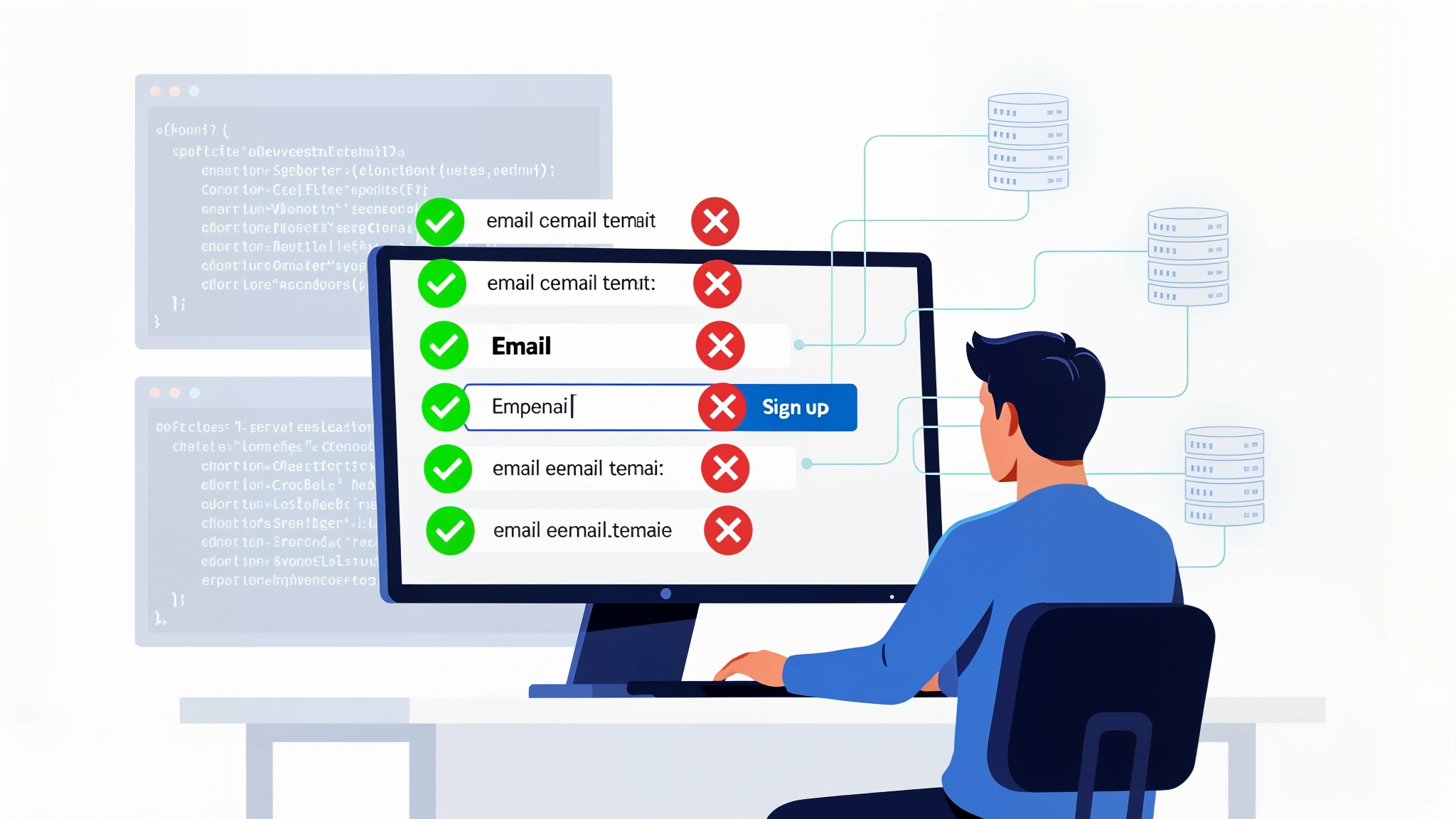
Why Real-Time Email Verification at Signup Is a Game Changer
Every day, applications quietly accumulate garbage in their user databases. Mistyped addresses, throwaway emails, role-based accounts, and outright fake signups pile up silently — and by the time you notice the damage, your deliverability is already suffering, your marketing metrics are skewed, and your support team is chasing ghosts.
The traditional answer has been batch verification: export your list periodically, run it through a verification service, and clean up the mess after the fact. Batch verification has its place, but it's fundamentally reactive.
Real-time verification at the point of signup stops bad data from entering your system in the first place. It catches typos before they become permanent records. It blocks disposable email addresses before they inflate your subscriber count. It filters out role-based addresses like admin@ or noreply@ that almost never represent genuine users. And it does all of this in under a second, without meaningful friction for legitimate users.
This guide walks you through building a production-ready signup form with real-time verification using MailValid's documented API — frontend JavaScript, backend middleware in Python and Node.js, and the edge case handling that separates a toy implementation from one you can trust in production.
UX Best Practices: When and How to Validate
Validate on Blur, Not on Keystroke
Validating on every keystroke is almost always wrong for email verification — the user is mid-input, and firing API calls against a half-typed string wastes credits and feels invasive.
Validating on blur — when the input loses focus — strikes the right balance. Validating on submit is the backstop, catching cases where a user pastes an address and submits immediately.
Write Error Messages That Help, Not Punish
Generic messages like "Invalid email" don't help the user fix the problem. MailValid's status_reason field lets you write specific, actionable messages instead of a flat rejection.
Visual Feedback States
Your form should have four states for the email field: Neutral (no validation run yet), Validating (API call in progress), Valid (confirmed), Invalid (specific error shown). Never permanently disable the submit button while validation is in flight — your backend will catch it regardless.
Frontend Code: HTML Form with JavaScript Validation
<form id="signup-form">
  <label for="email">Email address</label>
  <input type="email" id="email" name="email" required />
  <span id="email-status" aria-live="polite"></span>
  <button type="submit">Sign up</button>
</form>

<script>
const emailInput = document.getElementById('email');
const statusEl = document.getElementById('email-status');
const validationCache = new Map();

async function verifyEmail(email) {
  if (validationCache.has(email)) {
    return validationCache.get(email);
  }
  statusEl.textContent = 'Checking...';

  try {
    const res = await fetch('/api/verify-email', {
      method: 'POST',
      headers: { 'Content-Type': 'application/json' },
      body: JSON.stringify({ email })
    });
    const result = await res.json();
    validationCache.set(email, result);
    return result;
  } catch (err) {
    return { status: 'unknown' };
  }
}

function renderResult(result) {
  if (result.status === 'valid') {
    statusEl.textContent = 'Looks good';
  } else if (result.is_disposable) {
    statusEl.textContent = "We don't accept temporary email addresses.";
  } else if (result.is_role_based) {
    statusEl.textContent = 'Please use a personal email address.';
  } else if (result.status === 'invalid') {
    statusEl.textContent = result.status_reason || 'Please enter a valid email address.';
  } else {
    // catch_all or unknown — don't block, just proceed silently
    statusEl.textContent = '';
  }
}

emailInput.addEventListener('blur', async () => {
  const email = emailInput.value.trim();
  if (!email) return;
  const result = await verifyEmail(email);
  renderResult(result);
});
</script>
Important: Never call the MailValid API directly from the browser — your API key would be exposed in the network tab. Always route verification calls through a backend proxy endpoint, which is exactly what /api/verify-email represents above.
Backend Code: Middleware in Python and Node.js
Your backend is the authoritative layer. Even if frontend validation is bypassed, the backend should independently verify every email before creating a user record.
Python Flask Implementation
import os
import time
import requests
from flask import Flask, request, jsonify

app = Flask(__name__)

MAILVALID_API_KEY = os.environ.get('MAILVALID_API_KEY')
MAILVALID_API_URL = 'https://mailvalid.io/api/v1/verify/single'
VERIFICATION_TIMEOUT = 5
MAX_RETRIES = 2

def verify_email_with_retry(email, retries=MAX_RETRIES):
    """
    Calls MailValid's documented API with retry logic and timeout handling.
    Returns the 'result' object from the response.
    """
    for attempt in range(retries + 1):
        try:
            response = requests.post(
                MAILVALID_API_URL,
                json={'email': email},
                headers={'X-API-Key': MAILVALID_API_KEY, 'Content-Type': 'application/json'},
                timeout=VERIFICATION_TIMEOUT
            )
            response.raise_for_status()
            return response.json()['result']
        except requests.exceptions.Timeout:
            if attempt < retries:
                time.sleep(0.5 * (attempt + 1))
                continue
            raise
        except requests.exceptions.HTTPError as e:
            if e.response.status_code == 429:
                retry_after = int(e.response.headers.get('Retry-After', 2))
                time.sleep(retry_after)
                continue
            raise
        except requests.exceptions.RequestException:
            if attempt < retries:
                time.sleep(0.5 * (attempt + 1))
                continue
            raise

def should_reject_email(result):
    """
    Determines whether to reject a signup based on the documented result.
    Returns (reject: bool, reason: str)
    """
    if result.get('is_disposable'):
        return True, "We don't accept temporary email addresses."
    if result.get('is_role_based'):
        return True, "Please use a personal email address."
    if result.get('status') == 'invalid':
        return True, result.get('status_reason', 'Please enter a valid email address.')
    # 'valid', 'unknown', 'catch_all' — accept
    return False, None

@app.route('/api/verify-email', methods=['POST'])
def proxy_verify_email():
    data = request.get_json()
    email = data.get('email', '').strip()

    if not email:
        return jsonify({'error': 'Email is required'}), 400

    try:
        result = verify_email_with_retry(email)
        return jsonify({
            'status': result.get('status'),
            'status_reason': result.get('status_reason'),
            'is_disposable': result.get('is_disposable', False),
            'is_role_based': result.get('is_role_based', False),
        })
    except Exception as e:
        app.logger.error(f'Email verification proxy error: {e}')
        return jsonify({'status': 'unknown'})

@app.route('/api/signup', methods=['POST'])
def signup():
    data = request.get_json()
    email = data.get('email', '').strip().lower()

    if not email:
        return jsonify({'success': False, 'message': 'Email is required'}), 400

    fail_open = True
    should_reject = False
    rejection_reason = None
    flagged = False

    try:
        result = verify_email_with_retry(email)
        should_reject, rejection_reason = should_reject_email(result)
        if result.get('status') in ('catch_all', 'unknown'):
            flagged = True
    except Exception as e:
        app.logger.error(f'Email verification failed for {email}: {e}')
        if not fail_open:
            return jsonify({'success': False, 'message': 'We could not verify your email address. Please try again.'}), 503

    if should_reject:
        return jsonify({'success': False, 'message': rejection_reason}), 422

    try:
        user = create_user(email=email, requires_review=flagged)
        return jsonify({'success': True, 'user_id': str(user.id)})
    except Exception as e:
        app.logger.error(f'User creation failed: {e}')
        return jsonify({'success': False, 'message': 'Signup failed. Please try again.'}), 500

def create_user(email, requires_review=False):
    # Replace with your actual user creation logic
    pass

if __name__ == '__main__':
    app.run(debug=False)
Node.js Express Implementation
const express = require('express');
const axios = require('axios');

const app = express();
app.use(express.json());

const MAILVALID_API_KEY = process.env.MAILVALID_API_KEY;
const MAILVALID_API_URL = 'https://mailvalid.io/api/v1/verify/single';
const VERIFICATION_TIMEOUT = 5000;
const MAX_RETRIES = 2;

async function verifyEmailWithRetry(email, retriesLeft = MAX_RETRIES) {
  try {
    const response = await axios.post(
      MAILVALID_API_URL,
      { email },
      {
        headers: { 'X-API-Key': MAILVALID_API_KEY, 'Content-Type': 'application/json' },
        timeout: VERIFICATION_TIMEOUT,
      }
    );
    return response.data.result;
  } catch (err) {
    if (err.response && err.response.status === 429) {
      const retryAfter = parseInt(err.response.headers['retry-after'] || '2', 10);
      await new Promise((resolve) => setTimeout(resolve, retryAfter * 1000));
      if (retriesLeft > 0) return verifyEmailWithRetry(email, retriesLeft - 1);
    }
    if ((err.code === 'ECONNABORTED' || err.code === 'ETIMEDOUT') && retriesLeft > 0) {
      await new Promise((resolve) => setTimeout(resolve, 500 * (MAX_RETRIES - retriesLeft + 1)));
      return verifyEmailWithRetry(email, retriesLeft - 1);
    }
    throw err;
  }
}

function shouldRejectEmail(result) {
  if (result.is_disposable) return { reject: true, reason: "We don't accept temporary email addresses." };
  if (result.is_role_based) return { reject: true, reason: 'Please use a personal email address.' };
  if (result.status === 'invalid') {
    return { reject: true, reason: result.status_reason || 'Please enter a valid email address.' };
  }
  return { reject: false, reason: null };
}

app.post('/api/verify-email', async (req, res) => {
  const { email } = req.body;
  if (!email) return res.status(400).json({ error: 'Email is required' });

  try {
    const result = await verifyEmailWithRetry(email.trim());
    return res.json({
      status: result.status,
      status_reason: result.status_reason,
      is_disposable: result.is_disposable || false,
      is_role_based: result.is_role_based || false,
    });
  } catch (err) {
    console.error('Verification proxy error:', err.message);
    return res.json({ status: 'unknown' });
  }
});

app.post('/api/signup', async (req, res) => {
  const email = (req.body.email || '').trim().toLowerCase();
  if (!email) return res.status(400).json({ success: false, message: 'Email is required' });

  const FAIL_OPEN = true;
  let flagged = false;

  try {
    const result = await verifyEmailWithRetry(email);
    const { reject, reason } = shouldRejectEmail(result);

    if (reject) return res.status(422).json({ success: false, message: reason });
    if (['catch_all', 'unknown'].includes(result.status)) flagged = true;

  } catch (err) {
    console.error(`Verification failed for ${email}:`, err.message);
    if (!FAIL_OPEN) {
      return res.status(503).json({ success: false, message: 'Could not verify your email. Please try again.' });
    }
  }

  try {
    const user = await createUser({ email, requiresReview: flagged });
    return res.json({ success: true, userId: user.id });
  } catch (err) {
    console.error('User creation error:', err.message);
    return res.status(500).json({ success: false, message: 'Signup failed. Please try again.' });
  }
});

async function createUser({ email, requiresReview }) {
  // Replace with your actual database logic
  return { id: 'user_123' };
}

app.listen(3000, () => console.log('Server running on port 3000'));
What to Do with the Validation Result: Accept, Reject, or Flag
Tier 1: Reject Immediately
status: invalid— fails syntax checks, the domain doesn't exist, or the mailbox was confirmed not to existis_disposable: true— a known disposable email provideris_role_based: true— a shared inbox (admin@,info@,support@,noreply@)
Tier 2: Accept Cleanly
status: valid— passed all checks including SMTP verification
Tier 3: Flag for Review
status: catch_all— the mail server accepts all addresses, so a specific mailbox can't be confirmedstatus: unknown— verification couldn't be completed conclusively
For most applications, accept these addresses but flag the user record for double opt-in confirmation. Send a confirmation email and require the user to verify ownership before accessing key features.
Handling Edge Cases: Timeouts, Rate Limits, and Retry Logic
Timeout: Fail Open vs. Fail Closed
Fail open: Proceed as if the email is valid. Never blocks a legitimate user due to a network hiccup, at the cost of occasionally admitting an unverified address.
Fail closed: Reject the signup with a "try again later" message. No bad addresses get through, but legitimate users are blocked during your verification provider's downtime.
For most consumer applications, fail open is the right default, combined with double opt-in confirmation emails. For high-risk applications (financial services, healthcare), fail closed may be appropriate.
Set your timeout to 3–5 seconds. Anything longer noticeably degrades the signup experience.
Rate Limits
MailValid's API returns HTTP 429 when you exceed your plan's rate limit. Your retry logic should read the Retry-After header, wait the specified duration, cap retries at 2–3 attempts, and fall back to fail-open if retries are exhausted.
If you're seeing 429s regularly, that's a signal to add caching — store recent verification results keyed by email with a short TTL. MailValid's own API also caches recent results server-side, so repeat checks of the same address within a short window use 0 credits.
Full Working Architecture
Layer 1 — Client-side syntax check: A simple regex runs instantly on blur, catching obvious malformations before any API call.
Layer 2 — Frontend API call via backend proxy: JavaScript calls your own /api/verify-email endpoint, which proxies to MailValid. Your API key never touches the browser.
Layer 3 — Real-time UI feedback: Spinner during verification, confirmation on success, specific error message on failure.
Layer 4 — Backend verification middleware: Every signup request runs through server-side verification independently of the frontend. This is the authoritative layer.
Layer 5 — Three-tier result handling: Invalid, disposable, and role-based addresses are rejected with helpful messages. Valid addresses are accepted. Catch-all and unknown addresses are accepted but flagged.
Layer 6 — Retry logic and graceful degradation: Timeouts retry with backoff up to twice. Rate limit responses respect Retry-After. If all retries fail, the system fails open (configurable).
Layer 7 — Double opt-in as the final safety net: Any address that passes but carries uncertainty (catch-all, unknown) triggers a confirmation email.
This architecture means that even if your verification provider is completely unreachable, your signup flow continues to function. You may accumulate a small number of unverified addresses during the outage, but your double opt-in flow surfaces them before they cause real damage.
Start Building Today
Real-time email verification is one of those investments that compounds: better open rates, better deliverability, lower bounce rates, more accurate analytics, and fewer support headaches chasing users who never actually existed.
The implementation above is production-ready. Drop the Flask or Express middleware into an existing application, wire up the frontend JavaScript to your form, and start protecting your signup flow immediately.
Ready to verify your list? Get started free — 100 credits included, no card required.
Last Updated - 21 September 2026
MailValid Team
Email verification experts
Join teams that verify before they send
Stop letting bad emails hurt your deliverability
100 free credits. From $0.0008/email after. Credits never expire. No credit card required.