Every event organizer knows the gut-punch feeling: you planned for 500 attendees, confirmed registrations look solid, and then 40% of your audience simply doesn't show up. The culprit is often hiding in plain sight — invalid, mistyped, or abandoned email addresses collected at registration that make it impossible to reach your attendees before the event.
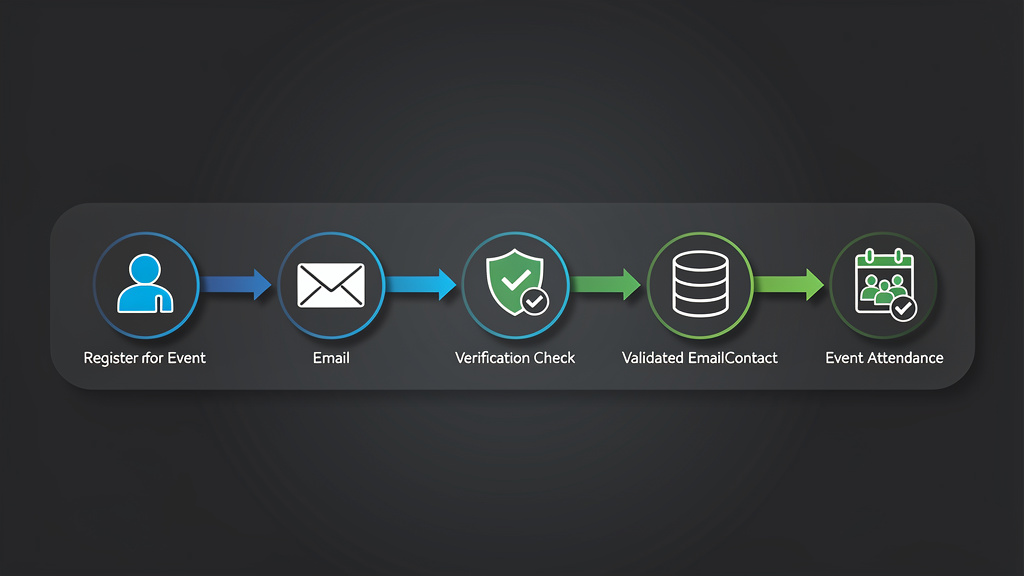
Why Invalid Emails Are Silently Destroying Your Event Attendance Rates
The relationship between email deliverability and event attendance is more direct than most organizers realize. When a registrant provides a bad email address — whether through a typo, a fake address entered to bypass a registration gate, or a long-abandoned inbox — your entire pre-event communication sequence fails silently. You send confirmation emails, reminder sequences, logistical updates, and last-minute agenda changes into a void, and your registrant never receives any of it.
According to Validity's 2023 State of Email Report, the average email list degrades at a rate of approximately 22.5% per year. For event platforms that collect registrations over weeks or months, this means a meaningful percentage of your confirmed attendees may already be unreachable by the time your event date arrives. Combine natural list decay with the well-documented phenomenon of users entering fake or throwaway addresses to access gated content — a behavior Litmus research suggests affects between 8% and 15% of form submissions — and you have a structural problem that no amount of compelling reminder copy can solve.
The financial stakes are significant. According to Bizzabo's Event Marketing Statistics, no-shows cost the events industry billions annually in wasted catering, venue space, printed materials, and staff hours. For virtual event platforms, no-shows translate directly to lower engagement metrics, reduced sponsor ROI, and damaged relationships with future speakers and partners who judge event quality partly by attendance figures.
Event email verification is the technical solution that sits at the intersection of data quality and deliverability. By validating email addresses at the point of registration — and optionally re-validating them before major communication sends — event platforms can dramatically reduce bounce rates, improve deliverability, and ultimately get more people through the door, physical or virtual.
The Technical Anatomy of Email Validation: What Actually Happens Under the Hood
Understanding how email verification works at a technical level helps event platform developers implement it correctly and interpret results intelligently. Email validation is not a single check — it is a layered pipeline of progressively deeper verifications, each filtering out a different category of invalid address.
Layer 1: Syntax and Format Validation
The first layer checks whether an address conforms to the standards defined in RFC 5321 (Simple Mail Transfer Protocol) and RFC 5322 (Internet Message Format). RFC 5321 governs the SMTP protocol used to transmit email, while RFC 5322 defines the format of the message itself, including the structure of email addresses.
A syntactically valid email address must have a local part (before the @), an @ symbol, and a domain part (after the @). The local part can contain letters, digits, and certain special characters including dots, hyphens, plus signs, and underscores, though rules around special characters are nuanced. The domain must contain at least one dot and conform to DNS naming conventions.
Common syntax failures include:
- Missing @ symbol (johndoeexample.com)
- Double dots in the local part ([email protected])
- Spaces within the address (john [email protected])
- Invalid TLD formats
- Excessively long local parts (RFC 5321 specifies a maximum of 64 characters for the local part)
Syntax validation alone catches a significant percentage of obvious errors, but it is only the beginning.
Layer 2: Domain and DNS Verification
Once syntax is confirmed valid, the next layer verifies that the domain actually exists and is configured to receive email. This involves DNS lookups for MX records (Mail Exchange records), which tell the internet which mail servers are responsible for accepting messages for a given domain.
A domain without MX records cannot receive email. Some domains have A records but no MX records, meaning they host websites but have no mail infrastructure. Others may have misconfigured or expired DNS records. According to Return Path research, approximately 5–7% of collected email addresses fail at the domain validation layer.
This layer also checks for disposable email domain databases — services like Mailinator, Guerrilla Mail, 10MinuteMail, and hundreds of others that provide temporary addresses specifically designed for one-time form submissions. For event platforms, disposable addresses are particularly problematic because the inbox may not even exist by the time your first reminder fires.
Layer 3: SMTP Mailbox Verification
The deepest layer of verification involves connecting to the recipient domain's mail server via SMTP and performing what is known as a mailbox ping or RCPT TO check. The verification service opens a connection to the MX server, initiates an SMTP handshake, and issues a RCPT TO command with the address in question — without ever sending an actual email. The server's response indicates whether the mailbox exists.
This is where SMTP response codes become critical for interpreting results:
- 250 — The mailbox exists and is ready to accept mail. This is the positive confirmation you want.
- 550 — The mailbox does not exist, or the server has explicitly rejected the address. Per RFC 5321, this is a permanent failure indicating the address is invalid.
- 551 — The user is not local; the server is providing a forwarding address. This is uncommon but indicates the address may be valid but hosted elsewhere.
- 552 — The mailbox storage limit has been exceeded. The address exists but cannot currently receive mail.
- 421 — The service is temporarily unavailable. This is a transient failure per RFC 5321 that may resolve on retry.
- 450 — The mailbox is temporarily unavailable (often due to greylisting). Another transient condition requiring retry logic.
RFC 3463 defines Enhanced Mail System Status Codes that provide more granular error information in the format X.Y.Z (e.g., 5.1.1 for "bad destination mailbox address"). Well-implemented verification systems parse both the base SMTP codes and these enhanced codes to provide more accurate results.
It's worth noting that some mail servers are configured as catch-all servers, meaning they accept mail for any address at a domain regardless of whether the specific mailbox exists. Verification services must detect and flag catch-all configurations, as these addresses cannot be definitively verified as valid or invalid through SMTP probing alone.
The No-Show Problem: Connecting Email Deliverability to Attendance Data
The causal chain between email validation failures and no-shows is worth tracing explicitly, because it's not always obvious to event organizers who think of email and attendance as separate concerns.
The Registration-to-Attendance Communication Funnel
When someone registers for an event, they typically enter a communication sequence that might look like this:
- Immediate confirmation email — confirms registration, provides calendar invite, sets expectations
- T-7 days reminder — builds anticipation, shares agenda, provides logistical information
- T-1 day reminder — final logistics, access links for virtual events, parking/transit info for in-person
- Day-of reminder — access codes, last-minute changes, real-time updates
- Post-event follow-up — recordings, resources, survey, next event announcement
If the confirmation email bounces because the address is invalid, the registrant may not even realize they're registered. They receive no calendar invite, no reminders, no logistical information. Even a genuinely interested attendee who provided a typo'd email address in good faith may simply forget about the event entirely.
According to HubSpot's Email Marketing Statistics, emails that are part of a sequence see significantly higher engagement than single sends — but only if they're delivered. A broken first touchpoint collapses the entire sequence.
Hard Bounces and Their Downstream Consequences
Beyond the immediate no-show problem, hard bounces from invalid addresses damage your sender reputation with email service providers. When you send to addresses that return 550-class permanent failures, receiving mail servers and spam filtering systems register these as signals of poor list hygiene.
Validity research indicates that senders with bounce rates above 2% begin experiencing deliverability degradation. Above 5%, major inbox providers like Gmail, Outlook, and Yahoo may begin throttling or blocking your messages entirely. For an event platform sending to a list that includes 10–15% invalid addresses, the bounce rate can quickly cross these thresholds.
The irony is compounding: invalid addresses cause bounces, bounces damage sender reputation, damaged sender reputation causes even valid addresses to land in spam folders, and more of your communications fail to reach attendees — driving up no-shows even among registrants who provided legitimate addresses.
The Role of SPF, DKIM, and DMARC in Event Email Deliverability
While email verification addresses the recipient side of the equation, event platforms also need to ensure their outbound email infrastructure is properly authenticated. RFC 7208 defines Sender Policy Framework (SPF), which allows domain owners to specify which mail servers are authorized to send email on their behalf.
A properly configured SPF record for an event platform might look like:
v=spf1 include:sendgrid.net include:mailgun.org ip4:203.0.113.42 ~all
RFC 6376 defines DomainKeys Identified Mail (DKIM), which adds a cryptographic signature to outgoing messages that receiving servers can verify against a public key published in DNS:
default._domainkey.events.example.com. IN TXT "v=DKIM1; k=rsa; p=MIGfMA0GCSqGSIb3DQEBA..."
RFC 7489 defines DMARC (Domain-based Message Authentication, Reporting, and Conformance), which builds on SPF and DKIM to give domain owners policy control over how unauthenticated messages are handled:
_dmarc.events.example.com. IN TXT "v=DMARC1; p=quarantine; rua=mailto:[email protected]; pct=100"
Proper authentication doesn't prevent bounces from invalid addresses, but it significantly improves the deliverability of messages to valid addresses — maximizing the impact of your email verification investment.
Implementing Event Email Verification: A Developer's Complete Guide
For developers building or integrating with event registration platforms, implementing email verification requires decisions about when to verify, how to handle different result types, and how to communicate validation outcomes to users without creating friction that increases abandonment.
When to Verify: Registration-Time vs. Pre-Send Verification
There are two primary moments to apply email verification in the event platform lifecycle:
Registration-time verification validates the address as the user submits the registration form. This is the most impactful approach because it catches errors at the source, before any data is committed to your database. The user is still engaged and can correct a typo immediately. The tradeoff is latency — SMTP verification can take 2–5 seconds, which is noticeable in a form submission flow.
Pre-send verification validates your registered list before each major communication send. This catches addresses that were valid at registration but have since become invalid (abandoned inboxes, domain expirations, corporate email addresses belonging to people who changed jobs). This approach is less disruptive to the registration UX but doesn't give you the opportunity to collect a corrected address.
Best practice for event platforms is to implement both: lightweight syntax and domain validation at registration time (fast, sub-second), with full SMTP verification running asynchronously in the background, and a pre-send verification pass before each major communication.
Integrating MailValid API for Event Registration Verification
The following production-ready Python implementation demonstrates a complete email verification integration for an event registration endpoint. This example handles the full range of API responses, implements appropriate error handling, and makes sensible decisions about how to treat different verification results.
import requests
import logging
from enum import Enum
from dataclasses import dataclass
from typing import Optional
import time

logger = logging.getLogger(__name__)

class VerificationDecision(Enum):
    ACCEPT = "accept"           # Valid address, proceed with registration
    REJECT = "reject"           # Invalid address, block registration
    ACCEPT_WITH_WARNING = "accept_with_warning"  # Uncertain, accept but flag
    RETRY = "retry"             # Temporary failure, retry verification

@dataclass
class VerificationResult:
    email: str
    decision: VerificationDecision
    is_valid: bool
    is_disposable: bool
    is_catch_all: bool
    smtp_code: Optional[int]
    reason: str
    score: float  # 0.0 to 1.0 deliverability confidence score

def verify_event_registration_email(
    email: str,
    api_key: str = "mv_live_key",
    max_retries: int = 2,
    timeout_seconds: int = 10
) -> VerificationResult:
    """
    Verify an email address during event registration using MailValid API.

    Implements retry logic for transient failures (SMTP 421/450 responses)
    and makes registration decisions based on verification confidence scores.

    Args:
        email: The email address to verify
        api_key: MailValid API key
        max_retries: Number of retries for transient failures
        timeout_seconds: Request timeout

    Returns:
        VerificationResult with decision and metadata
    """

    for attempt in range(max_retries + 1):
        try:
            response = requests.post(
                "https://mailvalid.io/api/v1/verify",
                headers={
                    "X-API-Key": api_key,
                    "Content-Type": "application/json",
                    "User-Agent": "EventPlatform/1.0 (registration-validator)"
                },
                json={"email": email},
                timeout=timeout_seconds
            )
            result = response.json()

            # Handle API-level errors
            if response.status_code == 401:
                logger.error("MailValid API authentication failed — check API key")
                # Fail open: don't block registrations due to API auth issues
                return VerificationResult(
                    email=email,
                    decision=VerificationDecision.ACCEPT_WITH_WARNING,
                    is_valid=True,
                    is_disposable=False,
                    is_catch_all=False,
                    smtp_code=None,
                    reason="verification_unavailable",
                    score=0.5
                )

            if response.status_code == 429:
                logger.warning("MailValid API rate limit reached")
                if attempt < max_retries:
                    time.sleep(2 ** attempt)  # Exponential backoff
                    continue
                # Fail open on rate limit
                return VerificationResult(
                    email=email,
                    decision=VerificationDecision.ACCEPT_WITH_WARNING,
                    is_valid=True,
                    is_disposable=False,
                    is_catch_all=False,
                    smtp_code=None,
                    reason="rate_limit_exceeded",
                    score=0.5
                )

            response.raise_for_status()

            # Parse verification response
            is_valid = result.get("valid", False)
            is_disposable = result.get("disposable", False)
            is_catch_all = result.get("catch_all", False)
            smtp_code = result.get("smtp_code")
            score = result.get("score", 0.0)
            reason = result.get("reason", "unknown")

            # Handle transient SMTP failures (421, 450) — retry
            if smtp_code in (421, 450) and attempt < max_retries:
                logger.info(
                    f"Transient SMTP failure {smtp_code} for {email}, "
                    f"retrying (attempt {attempt + 1}/{max_retries})"
                )
                time.sleep(1.5)
                continue

            # Make registration decision
            decision = _make_registration_decision(
                is_valid=is_valid,
                is_disposable=is_disposable,
                is_catch_all=is_catch_all,
                smtp_code=smtp_code,
                score=score
            )

            logger.info(
                f"Email verification for {email}: "
                f"decision={decision.value}, score={score:.2f}, "
                f"smtp_code={smtp_code}"
            )

            return VerificationResult(
                email=email,
                decision=decision,
                is_valid=is_valid,
                is_disposable=is_disposable,
                is_catch_all=is_catch_all,
                smtp_code=smtp_code,
                reason=reason,
                score=score
            )

        except requests.exceptions.Timeout:
            logger.warning(
                f"MailValid API timeout for {email} "
                f"(attempt {attempt + 1}/{max_retries + 1})"
            )
            if attempt < max_retries:
                time.sleep(1)
                continue
            # Fail open on timeout — don't block legitimate registrations
            return VerificationResult(
                email=email,
                decision=VerificationDecision.ACCEPT_WITH_WARNING,
                is_valid=True,
                is_disposable=False,
                is_catch_all=False,
                smtp_code=None,
                reason="timeout",
                score=0.5
            )

        except requests.exceptions.RequestException as e:
            logger.error(f"MailValid API request failed: {e}")
            return VerificationResult(
                email=email,
                decision=VerificationDecision.ACCEPT_WITH_WARNING,
                is_valid=True,
                is_disposable=False,
                is_catch_all=False,
                smtp_code=None,
                reason="api_error",
                score=0.5
            )

    # Should not reach here, but fail open as a safety net
    return VerificationResult(
        email=email,
        decision=VerificationDecision.ACCEPT_WITH_WARNING,
        is_valid=True,
        is_disposable=False,
        is_catch_all=False,
        smtp_code=None,
        reason="max_retries_exceeded",
        score=0.5
    )


def _make_registration_decision(
    is_valid: bool,
    is_disposable: bool,
    is_catch_all: bool,
    smtp_code: Optional[int],
    score: float
) -> VerificationDecision:
    """
    Apply business logic to determine registration outcome.

    For event platforms, the recommended thresholds are:
    - Score >= 0.8: Accept unconditionally
    - Score 0.5-0.8: Accept with internal flag for pre-send re-verification
    - Score < 0.5 and not catch-all: Reject with user-facing error
    - Disposable: Reject (or accept with warning for lower-stakes events)
    - 550 SMTP code: Hard reject
    """

    # Hard reject: permanent SMTP failure
    if smtp_code == 550:
        return VerificationDecision.REJECT

    # Hard reject: explicitly invalid
    if not is_valid and not is_catch_all and score < 0.3:
        return VerificationDecision.REJECT

    # Reject disposable addresses (policy decision — can be configured per event)
    if is_disposable:
        return VerificationDecision.REJECT

    # High confidence valid address
    if is_valid and score >= 0.8:
        return VerificationDecision.ACCEPT

    # Catch-all or moderate confidence — accept but flag for monitoring
    if is_catch_all or (0.5 <= score < 0.8):
        return VerificationDecision.ACCEPT_WITH_WARNING

    # Low confidence but not definitively invalid
    if score >= 0.5:
        return VerificationDecision.ACCEPT_WITH_WARNING

    return VerificationDecision.REJECT
This implementation includes several production-critical features that toy examples omit: exponential backoff for rate limiting, explicit handling of transient SMTP failures (421 and 450 codes per RFC 5321), fail-open behavior for API unavailability (to avoid blocking legitimate registrations when the verification service has issues), and a configurable decision function that separates business logic from API interaction.
JavaScript/Node.js Implementation for Frontend Validation
For event platforms with JavaScript frontends, the following implementation provides real-time validation feedback during form completion:
const MAILVALID_API_URL = 'https://mailvalid.io/api/v1/verify';
const DEBOUNCE_DELAY_MS = 600; // Wait for user to finish typing

class EventRegistrationEmailValidator {
  constructor(apiKey, options = {}) {
    this.apiKey = apiKey;
    this.options = {
      rejectDisposable: options.rejectDisposable ?? true,
      minimumScore: options.minimumScore ?? 0.5,
      showWarningForCatchAll: options.showWarningForCatchAll ?? true,
      ...options
    };
    this._debounceTimer = null;
    this._cache = new Map(); // Cache results to avoid redundant API calls
  }

  /**
   * Validate email with debouncing for real-time form feedback.
   * Returns a Promise that resolves with validation UI state.
   */
  validateWithDebounce(email, onResult) {
    clearTimeout(this._debounceTimer);

    if (!email || email.length < 5) {
      onResult({ state: 'idle', message: '' });
      return;
    }

    // Show loading state immediately
    onResult({ state: 'loading', message: 'Verifying email address...' });

    this._debounceTimer = setTimeout(async () => {
      try {
        const result = await this.verify(email);
        onResult(this._buildUIState(result));
      } catch (error) {
        console.warn('Email verification unavailable:', error.message);
        // Fail open — don't block registration on verification errors
        onResult({
          state: 'warning',
          message: 'Unable to verify email. Please double-check your address.'
        });
      }
    }, DEBOUNCE_DELAY_MS);
  }

  async verify(email) {
    // Return cached result if available
    if (this._cache.has(email)) {
      return this._cache.get(email);
    }

    const controller = new AbortController();
    const timeoutId = setTimeout(() => controller.abort(), 8000);

    try {
      const response = await fetch(MAILVALID_API_URL, {
        method: 'POST',
        headers: {
          'X-API-Key': this.apiKey,
          'Content-Type': 'application/json'
        },
        body: JSON.stringify({ email }),
        signal: controller.signal
      });

      clearTimeout(timeoutId);

      if (response.status === 429) {
        throw new Error('RATE_LIMIT');
      }

      if (!response.ok) {
        throw new Error(`API_ERROR_${response.status}`);
      }

      const result = await response.json();

      // Cache valid results for 5 minutes
      this._cache.set(email, result);
      setTimeout(() => this._cache.delete(email), 5 * 60 * 1000);

      return result;

    } catch (error) {
      clearTimeout(timeoutId);

      if (error.name === 'AbortError') {
        throw new Error('TIMEOUT');
      }
      throw error;
    }
  }

  _buildUIState(result) {
    const { valid, disposable, catch_all, score, smtp_code } = result;

    // Hard invalid
    if (smtp_code === 550 || (!valid && !catch_all && score < 0.3)) {
      return {
        state: 'error',
        message: 'This email address does not appear to be valid. Please check for typos.',
        blockSubmit: true
      };
    }

    // Disposable email detected
    if (disposable && this.options.rejectDisposable) {
      return {
        state: 'error',
        message: 'Temporary email addresses are not accepted. Please use your primary email to receive event updates.',
        blockSubmit: true
      };
    }

    // Catch-all domain warning
    if (catch_all && this.options.showWarningForCatchAll) {
      return {
        state: 'warning',
        message: 'Please double-check your email address — we want to make sure you receive your confirmation.',
        blockSubmit: false
      };
    }

    // Low confidence warning
    if (score < this.options.minimumScore) {
      return {
        state: 'warning',
        message: 'We couldn\'t fully verify this address. Please confirm it\'s correct.',
        blockSubmit: false
      };
    }

    // Valid
    return {
      state: 'success',
      message: 'Email address verified.',
      blockSubmit: false
    };
  }
}

// Usage example in event registration form
const validator = new EventRegistrationEmailValidator('mv_live_key', {
  rejectDisposable: true,
  minimumScore: 0.6
});

const emailInput = document.getElementById('registration-email');
const emailFeedback = document.getElementById('email-feedback');
const submitButton = document.getElementById('register-submit');

emailInput.addEventListener('input', (e) => {
  validator.validateWithDebounce(e.target.value, (uiState) => {
    emailFeedback.textContent = uiState.message;
    emailFeedback.className = `email-feedback email-feedback--${uiState.state}`;
    submitButton.disabled = uiState.blockSubmit === true;
  });
});
Common Mistakes Event Platforms Make with Email Verification
Understanding what not to do is as important as knowing best practices. The following mistakes are consistently observed in event platform implementations and can undermine the value of email verification entirely.
Mistake 1: Blocking Registrations on Verification Service Failures
The most damaging mistake is implementing email verification in a way that blocks legitimate registrations when the verification API is unavailable, slow, or rate-limited. Event registration windows are often time-sensitive — a user registering for a conference during a lunch break who encounters a broken form will not come back.
The correct approach is fail-open with flagging: if verification cannot be completed, accept the registration but flag the address for asynchronous re-verification and pre-send validation. Never let a third-party API availability issue become a registration blocker.
Mistake 2: Treating Catch-All Domains as Invalid
Many corporate email domains — including those used by Fortune 500 companies — are configured as catch-all servers for legitimate operational reasons. Rejecting all catch-all addresses will block a significant number of genuine business registrants. The right approach is to accept catch-all addresses with a flag, monitor them for bounces, and suppress them from future sends if they demonstrate hard bounce behavior.
Mistake 3: Only Validating at Registration Time
Email addresses that are valid today may not be valid in three months when your annual conference rolls around. Corporate addresses become invalid when employees change jobs. Personal addresses are abandoned. Domains expire. A pre-send verification pass — even a batch re-verification of your entire registered list 2 weeks before the event — can identify a meaningful percentage of addresses that have gone cold since registration.
Mistake 4: Ignoring Role-Based Addresses
Addresses like [email protected], [email protected], [email protected], and [email protected] are role-based addresses that often route to shared inboxes monitored inconsistently or not at all. These addresses may be technically valid (they accept mail) but functionally useless for event communication. Quality email verification services flag role-based addresses, and event platforms should treat them as lower-confidence registrations requiring additional confirmation steps.
Mistake 5: Applying the Same Validation Policy to All Events
A free webinar with low friction registration has different risk tolerance than a $2,000 in-person conference. For high-value events, stricter validation (blocking catch-all addresses, requiring confirmed email via double opt-in) is warranted. For free virtual events where registration volume is a primary success metric, a more permissive policy that accepts uncertain addresses with warnings may be more appropriate.
Measuring the Impact: Email Verification ROI for Event Platforms
The business case for email verification investment becomes clear when you model the actual numbers. Consider a mid-sized event platform running 50 events per year with an average of 1,000 registrations per event.
Baseline Scenario: No Email Verification
Without verification, industry data suggests a realistic distribution of address quality: - 70% valid, deliverable addresses - 10% invalid/non-existent addresses (typos, fake addresses) - 8% disposable email addresses - 7% abandoned inboxes (technically valid but not monitored) - 5% catch-all addresses with uncertain deliverability
In this scenario, only 70% of your communication sequence reaches engaged inboxes. Your bounce rate on sends is approximately 10–12% (invalid addresses plus some abandoned inboxes), which crosses the 2% threshold where deliverability degradation begins. Over time, your sender reputation erodes, and even the 70% valid addresses start experiencing increased spam folder placement.
According to Validity, senders with poor reputation scores see inbox placement rates drop to 60–70% compared to 95%+ for high-reputation senders. Applied to 50,000 annual registrations, the difference between 70% and 95% inbox placement represents 12,500 registrants who don't receive your communications effectively.
Post-Verification Scenario
With email verification implemented at registration: - Invalid and disposable addresses are rejected at the point of entry - Catch-all and uncertain addresses are flagged for monitoring - Your effective list quality rises to 85–90% high-confidence valid addresses - Bounce rates drop below 1%, protecting sender reputation - Inbox placement improves to 90–95%
HubSpot research indicates that improving email deliverability from 70% to 95% inbox placement typically correlates with a 20–35% increase in email engagement rates. For event platforms, this translates directly to higher reminder open rates and, ultimately, better attendance.
If improved email deliverability reduces your no-show rate by even 8 percentage points (from 35% to 27%), across 50 events with 1,000 registrations each, that's 4,000 additional attendees per year — attendees who generate direct revenue, sponsor impressions, and future event registrations.
The Cost-Benefit Calculation
API-based email verification services typically cost between $0.003 and $0.01 per verification. At 50,000 annual verifications, the annual cost is $150–$500. Against the value of 4,000 additional attendees, improved sponsor satisfaction, and reduced waste from no-shows, the ROI is not a close call.
Best Practices for Event Email Verification Implementation
Synthesizing the technical and strategic considerations above, the following best practices represent the recommended approach for event platforms of any scale.
Implement a Multi-Stage Validation Pipeline
Design your validation as a pipeline rather than a single check:
- Client-side syntax validation — Immediate, zero-latency feedback on obvious format errors before form submission. This catches the majority of typos without any API call.
- Server-side domain validation — On form submission, verify MX records and check against disposable domain lists. Fast (typically under 200ms) and catches non-existent domains.
- Asynchronous SMTP verification — Queue full mailbox verification to run in the background after registration is accepted. Update the registrant record with verification results.
- Pre-send suppression — Before each major send, filter your list against verification results and re-verify addresses flagged as uncertain.
Use Double Opt-In for High-Value Events
For premium conferences, paid events, or events with limited capacity, double opt-in (requiring registrants to click a confirmation link in their registration email) provides the highest possible confidence that an email address is valid and monitored. It also creates an additional touchpoint that reinforces the registrant's commitment to attend.
The tradeoff is registration completion rate — some percentage of registrants will not complete the confirmation step. For high-value events, this is an acceptable filter; for free events with volume goals, it may not be.
Segment Your List by Verification Confidence
Rather than treating your registered list as a single homogeneous group, segment by verification outcome:
- High confidence (score ≥ 0.8, SMTP 250): Full communication sequence
- Medium confidence (catch-all, score 0.5–0.8): Full sequence with bounce monitoring; suppress on first hard bounce
- Low confidence (score < 0.5, unverifiable): Send confirmation only; require engagement before adding to full sequence
- Unverified (API timeout/unavailable): Flag for re-verification; treat as medium confidence in the interim
Build Re-Engagement Before Suppression
Before suppressing an address that has not engaged with your communication sequence, attempt a re-engagement send specifically designed to prompt interaction. If a registrant hasn't opened any of your pre-event emails, send a "Is this still your email address?" message with a prominent link. This recovers some percentage of valid-but-disengaged registrants while confirming that others should be suppressed.
Monitor and Report on Verification Metrics
Treat email verification as an ongoing operational metric, not a one-time implementation. Track:
- Registration-time rejection rate — percentage of registration attempts blocked by verification
- Bounce rate per event — should stay below 1% with good verification in place
- Verification confidence distribution — what percentage of your list is high/medium/low confidence
- No-show rate by verification confidence tier — this closes the loop and proves the ROI
Choosing the Right Email Verification Approach for Your Event Platform Architecture
Different event platform architectures have different verification needs. A SaaS event management platform serving thousands of event organizers has different requirements than a single-event registration page for an annual conference.
Synchronous API Integration (Best for Registration Forms)
For real-time feedback during registration, synchronous API calls with appropriate timeout handling (as demonstrated in the code examples above) provide the best user experience. The key is keeping the UX responsive — show a loading indicator, set a 5–8 second timeout, and fail open gracefully.
Batch Verification (Best for Imported Lists and Pre-Send Checks)
Many event platforms allow organizers to import registrant lists from external sources (CRM exports, spreadsheet uploads, partner data). These imported lists should be batch-verified before any communication is sent. Most verification APIs support bulk verification endpoints that can process thousands of addresses efficiently.
Webhook-Based Asynchronous Verification
For platforms where registration volume is high and registration form latency is critical, a webhook-based approach allows registration to complete immediately while verification runs asynchronously. The verification service calls your webhook with results when verification is complete, and your system updates the registrant record accordingly. This architecture is more complex to implement but eliminates any latency impact on the registration experience.
Integration with Your Email Service Provider
Many email service providers (ESPs) — including SendGrid, Mailgun, and Postmark — offer built-in list validation features. These can complement third-party verification APIs but typically offer less granular results. For event platforms with sophisticated deliverability requirements, a dedicated verification service like MailValid provides more detailed SMTP response data, catch-all detection, and disposable domain coverage than ESP-native tools.
Conclusion: Event Email Verification Is Not Optional — It's Infrastructure
The connection between event email verification and reducing no-shows is not theoretical — it is a direct, measurable causal chain. Invalid email addresses break your pre-event communication sequence. Broken communication sequences mean registrants don't receive reminders, logistics, and access information. Uninformed registrants don't show up.
The technical implementation of email verification, from syntax checking through DNS validation to SMTP mailbox probing (with proper handling of RFC 5321 response codes), is well-understood and accessible through modern APIs. The business case — a few hundred dollars per year in verification costs against thousands of additional attendees and protected sender reputation — is straightforward.
What separates event platforms that consistently achieve high attendance rates from those that struggle with chronic no-show problems is often not the quality of their events or the appeal of their speakers. It's the reliability of their communication infrastructure. Event registration data quality is the foundation that everything else is built on.
The platforms that treat email verification as infrastructure — as essential as their payment processing or their video streaming stack — are the ones that deliver consistent attendance, protect their sender reputation, and build the kind of reliable communication channel that turns one-time registrants into repeat attendees.
Start with verification at registration. Add pre-send re-verification. Monitor your confidence tiers. Close the loop with attendance data. The results will be measurable in your next event's attendance report.
[!TIP]
Verify Every Registration with MailValid — Built for Event Platforms MailValid provides enterprise-grade email verification through a single REST API call, with real-time SMTP validation, disposable email detection, catch-all identification, and confidence scoring designed for high-volume event registration workflows. Get started in minutes: - REST API with SDKs for Python, JavaScript, PHP, Ruby, and Go - Sub-second response times for registration-time validation - Bulk verification for imported lists and pre-send checks - Detailed SMTP response codes and enhanced status data - 99.9% API uptime SLA — never blocks a registration due to downtime Start Your Free Trial at MailValid.io → — 100 free verifications included. No credit card required.
MailValid Team
Email verification experts
Join developers who verify smarter
Stop letting bad emails hurt your deliverability
100 free credits. $0.001/email after. Credits never expire. No credit card required.