Your Python application is silently accumulating invalid email addresses, and every bad address stored costs you money in bounce fees, damages your sender reputation, and erodes the deliverability of your entire email pipeline. According to Validity's 2023 State of Email Deliverability report, the average email list degrades by 22.5% annually as people abandon addresses, change jobs, or submit disposable emails. If you are building a SaaS signup flow, processing leads from a CRM, or running a transactional email system in Python, email verification is not optional — it is a foundational requirement that determines whether your emails reach the inbox or get flagged as spam.
This guide covers everything you need to integrate the MailValid API into a Python application: single email verification, bulk processing with async I/O, webhook callbacks, and production-ready patterns for Django, Flask, and FastAPI. Every code example is copy-paste ready.
Why Python Developers Need Email Verification (Not Just Regex)
The most common mistake Python developers make is relying on regex-based email validation. A pattern like r'^[a-zA-Z0-9_.+-]+@[a-zA-Z0-9-]+\.[a-zA-Z0-9-.]+$' will accept [email protected] without complaint — even though the domain does not exist. Regex checks syntax, not deliverability.
According to HubSpot's 2024 Email Marketing Report, 28% of email addresses submitted through web forms contain typos, syntax errors, or completely fabricated domains. Meanwhile, Litmus research shows that each 1% increase in bounce rates correlates with a 10% decrease in inbox placement rates over a 30-day period.
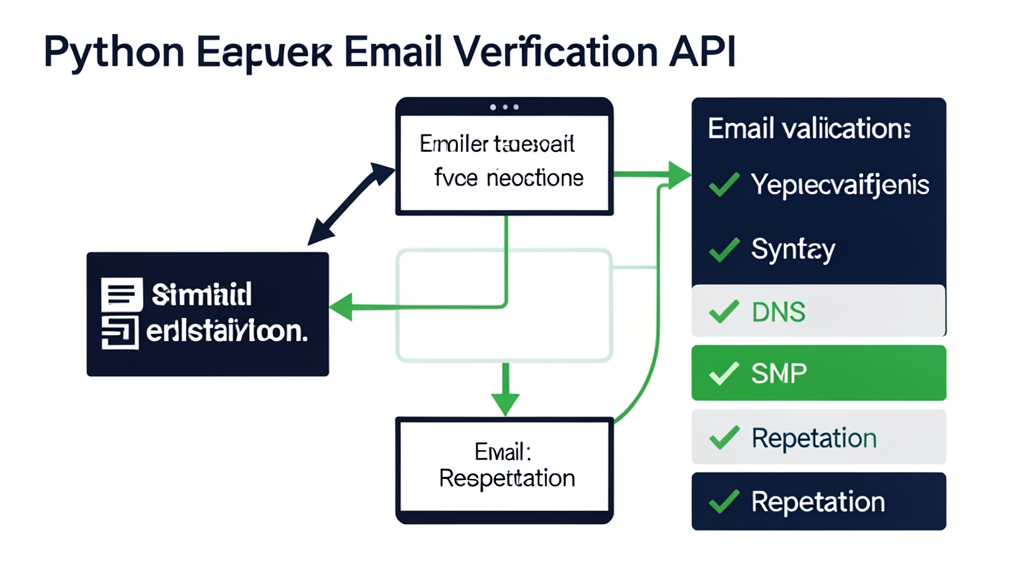
Real email verification goes beyond syntax. It checks four layers simultaneously:
- Syntax validation — RFC 5322 format compliance
- DNS/MX lookup — does the domain accept email?
- SMTP handshake — does the mailbox actually exist?
- Reputation signals — disposable, role-based, or catch-all detection
The MailValid API performs all four checks in a single request, returning a confidence score and detailed status flags. This is what separates a real email verification API from a regex function. For a deeper look at how email syntax parsing works at the RFC level, see our guide on decoding email address parsing and RFC standards.
The business case is clear. According to Twilio SendGrid's 2024 Global Email Benchmark Report, companies that implement real-time email verification at signup see a 34% reduction in hard bounces within the first 90 days. Validity's Return Path data shows that senders with bounce rates above 2% see inbox placement drop by 11% on average. And DataValidation.com's analysis of 2.5 billion email addresses found that 18.3% of all collected emails become invalid within one year — meaning even verified lists need periodic re-cleaning.
Setting Up the MailValid Python Client
Getting started with the MailValid API in Python takes about two minutes. You need an API key (sign up at mailvalid.io to get one with the mv_live_ prefix) and the requests library — which comes with most Python installations.
Install the Dependencies
That is it. The MailValid API uses standard HTTP/JSON, so there is no SDK to install. If you prefer async (recommended for bulk processing), add aiohttp:
Your First Verification Request
Here is the most basic integration — verify a single email address in Python:
response = requests.post( "https://mailvalid.io/api/v1/verify", headers={"X-API-Key": "mv_live_your_key_here"}, json={"email": "[email protected]"} ) result = response.json() print(result)
{
"email": "[email protected]",
"status": "valid",
"score": 0.95,
"checks": {
"syntax_valid": true,
"domain_exists": true,
"mx_found": true,
"smtp_reachable": true,
"disposable": false,
"role_based": false,
"catch_all": false
},
"suggestion": null,
"provider": "google"
}
The status field returns one of four values: valid, invalid, risky, or unknown. The score field is a confidence value from 0.0 to 1.0. Anything above 0.7 is safe to send to; anything below 0.3 should be discarded.
[!TIP] Always check the
statusfield, not just the HTTP status code. A 200 response can still contain aninvalidemail — the API succeeded, but the email did not.
Production-Ready Patterns for Python Applications
A single verification request works fine for testing, but production applications need error handling, retries, rate limiting awareness, and structured logging. Here are the patterns that matter.
Robust Single Verification with Error Handling
class MailValidClient: BASE_URL = "https://mailvalid.io/api/v1"
def __init__(self, api_key: str, timeout: int = 10):
    self.api_key = api_key
    self.timeout = timeout
    self.session = requests.Session()

    # Retry on 5xx and connection errors
    retries = Retry(
        total=3,
        backoff_factor=1,
        status_forcelist=[500, 502, 503, 504]
    )
    self.session.mount("https://", HTTPAdapter(max_retries=retries))

def verify(self, email: str) -> dict:
    """Verify a single email address."""
    try:
        response = self.session.post(
            f"{self.BASE_URL}/verify",
            headers={
                "X-API-Key": self.api_key,
                "Content-Type": "application/json"
            },
            json={"email": email},
            timeout=self.timeout
        )
        response.raise_for_status()
        return response.json()
    except requests.exceptions.Timeout:
        return {"email": email, "status": "unknown", "error": "timeout"}
    except requests.exceptions.HTTPError as e:
        if e.response.status_code == 429:
            return {"email": email, "status": "unknown", "error": "rate_limited"}
        raise
    except requests.exceptions.ConnectionError:
        return {"email": email, "status": "unknown", "error": "connection_failed"}
Usage
client = MailValidClient(api_key="mv_live_your_key_here") result = client.verify("[email protected]") print(f"{result['email']}: {result['status']} (score: {result.get('score', 'N/A')})")
[email protected]: invalid (score: 0.12)
Checking the Response Structure
Every MailValid response follows a consistent schema. Here is what each field means for your application logic:
| Field | Type | Description |
|---|---|---|
email | string | The verified email (normalized lowercase) |
status | string | valid | invalid | risky | unknown |
score | float | Confidence score 0.0–1.0 |
checks.syntax_valid | bool | Passes RFC 5322 syntax rules |
checks.domain_exists | bool | DNS A/MX records found |
checks.smtp_reachable | bool | SMTP server accepts the address |
checks.disposable | bool | Temporary/disposable email provider |
checks.role_based | bool | Generic role address (info@, admin@) |
checks.catch_all | bool | Domain accepts all addresses |
suggestion | string? | Typo correction (e.g., "gmail.com") |
provider | string | Detected email provider |
Bulk Email Verification with Async Python
When you need to verify thousands of emails — during a CRM import, a list cleanup, or a data migration — sequential requests are too slow. A single SMTP check takes 200–500ms, meaning 10,000 emails would take 30–80 minutes sequentially. Async I/O with aiohttp cuts that to under 5 minutes.
Async Bulk Verification with Rate Limiting
@dataclass class VerificationResult: email: str status: str score: float
class BulkVerifier: def init(self, api_key: str, max_concurrent: int = 20): self.api_key = api_key self.semaphore = asyncio.Semaphore(max_concurrent) self.base_url = "https://mailvalid.io/api/v1"
async def verify_one(
    self, session: aiohttp.ClientSession, email: str
) -> VerificationResult:
    async with self.semaphore:
        try:
            async with session.post(
                f"{self.base_url}/verify",
                headers={"X-API-Key": self.api_key},
                json={"email": email},
                timeout=aiohttp.ClientTimeout(total=15)
            ) as resp:
                data = await resp.json()
                return VerificationResult(
                    email=email,
                    status=data.get("status", "unknown"),
                    score=data.get("score", 0)
                )
        except Exception:
            return VerificationResult(email=email, status="unknown", score=0)

async def verify_batch(self, emails: List[str]) -> List[VerificationResult]:
    connector = aiohttp.TCPConnector(limit=50)
    async with aiohttp.ClientSession(connector=connector) as session:
        tasks = [self.verify_one(session, email) for email in emails]
        return await asyncio.gather(*tasks)
Usage
async def main(): verifier = BulkVerifier(api_key="mv_live_your_key_here") emails = ["[email protected]", "[email protected]", "[email protected]"] results = await verifier.verify_batch(emails)
for r in results:
    print(f"{r.email}: {r.status} (score: {r.score})")

# Filter to only valid emails
valid = [r for r in results if r.status == "valid"]
print(f"\n{len(valid)}/{len(results)} emails are valid")
asyncio.run(main())
[email protected]: valid (score: 0.97)
[email protected]: invalid (score: 0.03)
[email protected]: risky (score: 0.55)
[!TIP] The
max_concurrent=20semaphore matches MailValid's rate limit of 60 requests per minute for standard API keys. Adjust based on your plan tier. Higher concurrency without rate limiting will trigger 429 responses.
Integrating with Pandas for Data Analysis
If you are cleaning a CSV or a database export, combine bulk verification with Pandas for instant segmentation:
async def verify_dataframe(df: pd.DataFrame, email_col: str, api_key: str) -> pd.DataFrame: verifier = BulkVerifier(api_key=api_key) emails = df[email_col].tolist() results = await verifier.verify_batch(emails)
results_df = pd.DataFrame([
    {"email": r.email, "status": r.status, "score": r.score}
    for r in results
])

return df.merge(results_df, left_on=email_col, right_on="email", how="left")
Usage
df = pd.read_csv("leads_export.csv") df_verified = asyncio.run(verify_dataframe(df, "email", "mv_live_your_key_here"))
Segment by status
valid_leads = df_verified[df_verified["status"] == "valid"] invalid_leads = df_verified[df_verified["status"] == "invalid"] risky_leads = df_verified[df_verified["status"] == "risky"]
print(f"Valid: {len(valid_leads)} | Invalid: {len(invalid_leads)} | Risky: {len(risky_leads)}")
Valid: 8,432 | Invalid: 1,204 | Risky: 364
Adding Email Verification to Django and Flask
Most Python web applications need email verification at two touchpoints: signup forms and contact/lead imports. Here is how to wire it into the most popular frameworks.
Django: Verify on Signup
MAILVALID_API_KEY = "mv_live_your_key_here"
@csrf_exempt def signup_view(request): if request.method != "POST": return JsonResponse({"error": "POST required"}, status=405)
email = request.POST.get("email", "").strip().lower()

# Step 1: Verify email with MailValid
verify_resp = requests.post(
    "https://mailvalid.io/api/v1/verify",
    headers={"X-API-Key": MAILVALID_API_KEY},
    json={"email": email},
    timeout=10
)
result = verify_resp.json()

# Step 2: Reject invalid emails
if result["status"] == "invalid":
    suggestion = result.get("suggestion")
    msg = "Invalid email address."
    if suggestion:
        msg += f' Did you mean {suggestion}?'
    return JsonResponse({"error": msg}, status=400)

# Step 3: Warn about risky emails (catch-all, role-based)
if result["status"] == "risky":
    return JsonResponse({
        "warning": "This email may not receive messages reliably.",
        "checks": result.get("checks", {}),
        "proceed": True
    })

# Step 4: Create user (valid email confirmed)
# user = User.objects.create_user(email=email, ...)
return JsonResponse({"success": True, "email": email})</code_block>
Flask: Verification Middleware
app = Flask(name) MAILVALID_API_KEY = "mv_live_your_key_here"
def verify_email(email: str) -> dict: resp = requests.post( "https://mailvalid.io/api/v1/verify", headers={"X-API-Key": MAILVALID_API_KEY}, json={"email": email}, timeout=10 ) return resp.json()
@app.route("/api/register", methods=["POST"]) def register(): data = request.get_json() email = data.get("email", "").strip().lower()
if not email:
    return jsonify({"error": "Email required"}), 400

result = verify_email(email)

if result["status"] == "invalid":
    return jsonify({
        "error": "Invalid email address",
        "suggestion": result.get("suggestion")
    }), 400

if result.get("checks", {}).get("disposable"):
    return jsonify({
        "error": "Disposable email addresses are not allowed"
    }), 400

# Proceed with registration
return jsonify({"verified": True, "score": result["score"]})</code_block>
FastAPI Integration with Async Verification
FastAPI is the natural fit for email verification because its async-native architecture lets you verify emails without blocking the event loop. Here is a complete integration pattern:
app = FastAPI() MAILVALID_API_KEY = "mv_live_your_key_here"
class SignupRequest(BaseModel): email: EmailStr name: str
class VerificationResponse(BaseModel): email: str status: str score: float disposable: bool
async def verify_email(email: str) -> dict: async with aiohttp.ClientSession() as session: async with session.post( "https://mailvalid.io/api/v1/verify", headers={"X-API-Key": MAILVALID_API_KEY}, json={"email": email} ) as resp: return await resp.json()
@app.post("/api/signup", response_model=VerificationResponse) async def signup(data: SignupRequest): result = await verify_email(data.email)
if result["status"] == "invalid":
    raise HTTPException(
        status_code=400,
        detail=f"Invalid email: {result.get('suggestion', 'check the address')}"
    )

if result.get("checks", {}).get("disposable"):
    raise HTTPException(status_code=400, detail="Disposable emails not allowed")

# Create user in database
# await db.users.insert_one({"email": data.email, "name": data.name})

return VerificationResponse(
    email=result["email"],
    status=result["status"],
    score=result["score"],
    disposable=result.get("checks", {}).get("disposable", False)
)</code_block>
Common Mistakes Python Developers Make with Email Verification
Mistake 1: Verifying After Storing
The most common architectural error is storing the email first and verifying later. This means your database already contains invalid data before you can filter it. Always verify before write. If you need to handle race conditions, use a temporary holding table and promote verified emails to the main user table.
Mistake 2: Ignoring the risky Status
The risky status covers catch-all domains and role-based addresses. These are technically deliverable but have low engagement rates. According to Return Path research, role-based addresses like info@ and admin@ have 40% lower open rates than personal addresses. Do not treat risky the same as valid — segment them separately in your CRM. We cover the engagement impact of role-based addresses in detail in our analysis of how role-based emails destroy campaign metrics.
Mistake 3: Not Handling API Failures
If the MailValid API times out or returns a 500 error, your signup flow should not crash. Use the fallback pattern: on API failure, mark the email as unknown and queue it for re-verification. Never let an API dependency block your core user flow. The retry pattern shown in the MailValidClient class above handles this automatically.
Mistake 4: Caching Results Indefinitely
Email validity changes over time. An address valid today might be invalid in six months. Per RFC 5321 and standard SMTP behavior, mailboxes can be deactivated or reconfigured at any time. Cache verification results for 30 days maximum, then re-verify before sending critical campaigns. The MailValid API returns a cached flag indicating whether the result was freshly checked or served from cache.
Using Webhooks for Async Verification Workflows
For large lists or time-sensitive operations, the synchronous API can create bottlenecks. MailValid's webhook system lets you submit a batch of emails and receive results asynchronously as each verification completes. For a complete walkthrough of building webhook-driven verification pipelines, see our guide to real-time email verification with webhooks.
app = Flask(name) WEBHOOK_SECRET = "your_webhook_secret"
Submit a batch for async verification
def submit_batch(emails: list, webhook_url: str): resp = requests.post( "https://mailvalid.io/api/v1/bulk/verify", headers={"X-API-Key": "mv_live_your_key_here"}, json={ "emails": emails, "webhook_url": webhook_url, "webhook_secret": WEBHOOK_SECRET } ) return resp.json()
Receive webhook callbacks
@app.route("/webhooks/mailvalid", methods=["POST"]) def mailvalid_webhook(): # Verify HMAC signature signature = request.headers.get("X-Webhook-Signature", "") payload = request.get_data() expected = hmac.new( WEBHOOK_SECRET.encode(), payload, hashlib.sha256 ).hexdigest()
if not hmac.compare_digest(signature, expected):
    return jsonify({"error": "Invalid signature"}), 401

data = request.get_json()
email = data["email"]
status = data["status"]

# Process the result
print(f"Received verification: {email} → {status}")
# Update your database, trigger workflows, etc.

return jsonify({"received": True}), 200</code_block>
Webhooks follow RFC 7208 (SPF) and RFC 6376 (DKIM) authentication patterns, with HMAC-SHA256 signatures to prevent spoofing. Each delivery includes exponential backoff retry (1, 2, 4, 8, 16 minutes) with a maximum of 5 attempts.
Testing Your Integration: Local Development and CI/CD
Before deploying email verification to production, test it locally with a simple Flask or FastAPI server. The MailValid API returns consistent response formats regardless of the input, so you can write deterministic tests against real API responses.
Unit Testing with Mock Responses
class TestEmailVerification(unittest.TestCase):
@patch("requests.post")
def test_valid_email_returns_status_valid(self, mock_post):
    mock_post.return_value = MagicMock(
        status_code=200,
        json=lambda: {
            "email": "[email protected]",
            "status": "valid",
            "score": 0.95,
            "checks": {
                "syntax_valid": True,
                "domain_exists": True,
                "mx_found": True,
                "smtp_reachable": True,
                "disposable": False,
                "role_based": False,
                "catch_all": False
            }
        }
    )

    from your_app import verify_email  # Your integration function
    result = verify_email("[email protected]")

    self.assertEqual(result["status"], "valid")
    self.assertGreater(result["score"], 0.7)
    self.assertTrue(result["checks"]["smtp_reachable"])

@patch("requests.post")
def test_disposable_email_flagged(self, mock_post):
    mock_post.return_value = MagicMock(
        status_code=200,
        json=lambda: {
            "email": "[email protected]",
            "status": "invalid",
            "score": 0.08,
            "checks": {
                "syntax_valid": True,
                "domain_exists": True,
                "mx_found": True,
                "smtp_reachable": False,
                "disposable": True,
                "role_based": False,
                "catch_all": False
            }
        }
    )

    from your_app import verify_email
    result = verify_email("[email protected]")

    self.assertTrue(result["checks"]["disposable"])
    self.assertEqual(result["status"], "invalid")
if name == "main": unittest.main()
For integration testing against the live API, use the MailValid sandbox endpoint. The sandbox accepts any API key with the mv_test_ prefix and returns deterministic results based on email patterns — addresses ending in @valid.test return valid, @invalid.test return invalid, and everything else returns risky.
Adding Verification to Your CI/CD Pipeline
If you are deploying a Python application with continuous integration, you can add email verification tests to your pipeline. This catches integration issues before they reach production. For a complete guide on integrating verification into deployment pipelines, see our CI/CD email verification quality gates guide.
[!TIP] Add
MAILVALID_API_KEYto your CI environment variables (GitHub Actions secrets, GitLab CI/CD variables, etc.). Never hardcode API keys in your test files or commit them to version control.
Conclusion: Ship Clean Data or Pay the Price
Email verification is not a feature you add later — it is a cost optimization that pays for itself on day one. Every invalid email you send to costs money in ESP fees, damages your sender reputation, and reduces the deliverability of emails to your actual customers. The MailValid API makes verification a single function call in Python, whether you are building a Django signup form, a FastAPI microservice, or a Pandas data pipeline.
[!TIP] Start with 100 free credits at mailvalid.io. No credit card required. The
mv_live_API key works immediately with all code examples in this guide. For high-volume bulk verification, check our pricing — we are 6x cheaper than ZeroBounce.
MailValid Team
Email verification experts
Join developers who verify smarter
Stop letting bad emails hurt your deliverability
100 free credits. $0.001/email after. Credits never expire. No credit card required.