
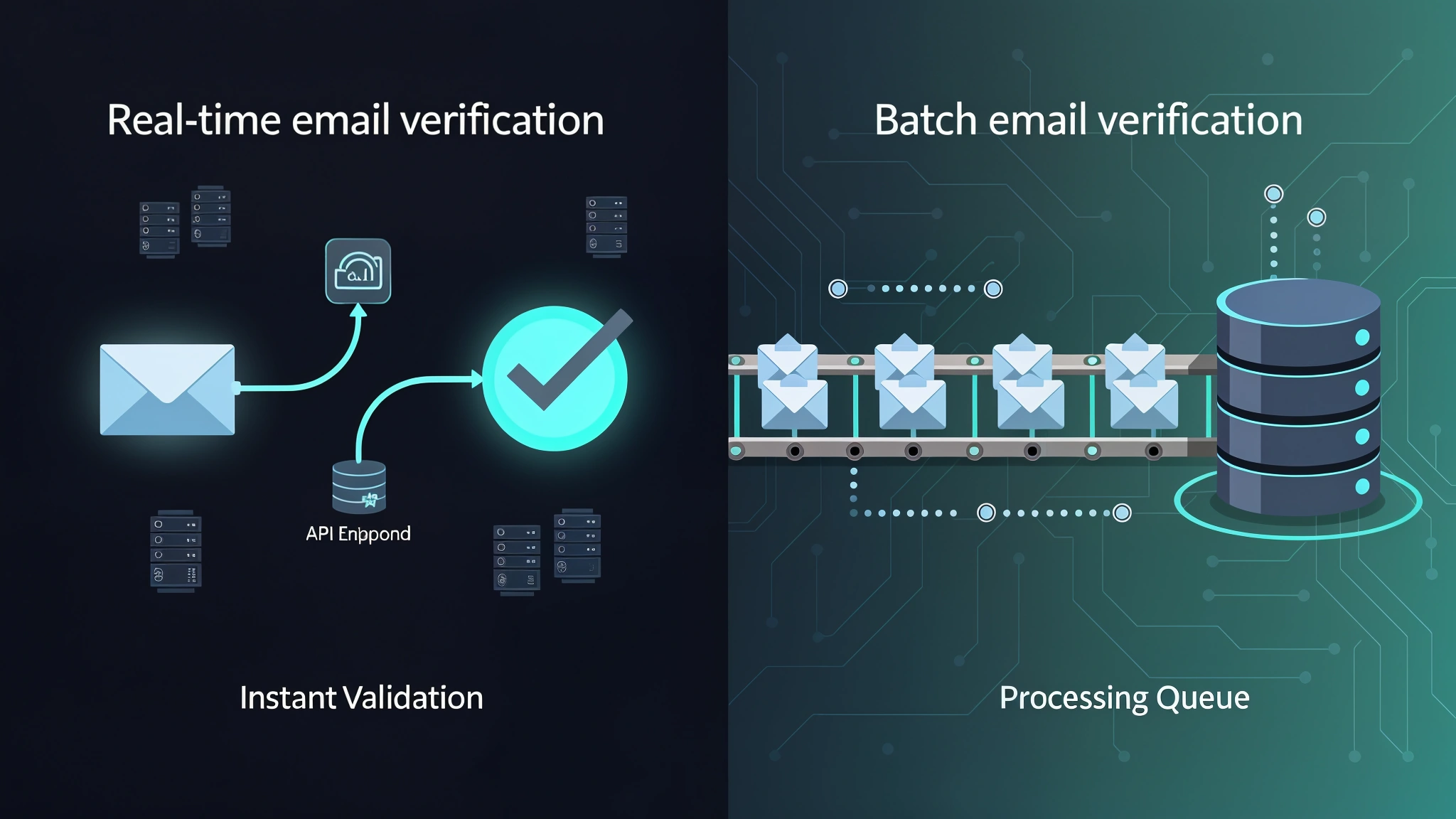
Real-Time vs Batch Email Verification: Choosing the Right Email Validation Strategy
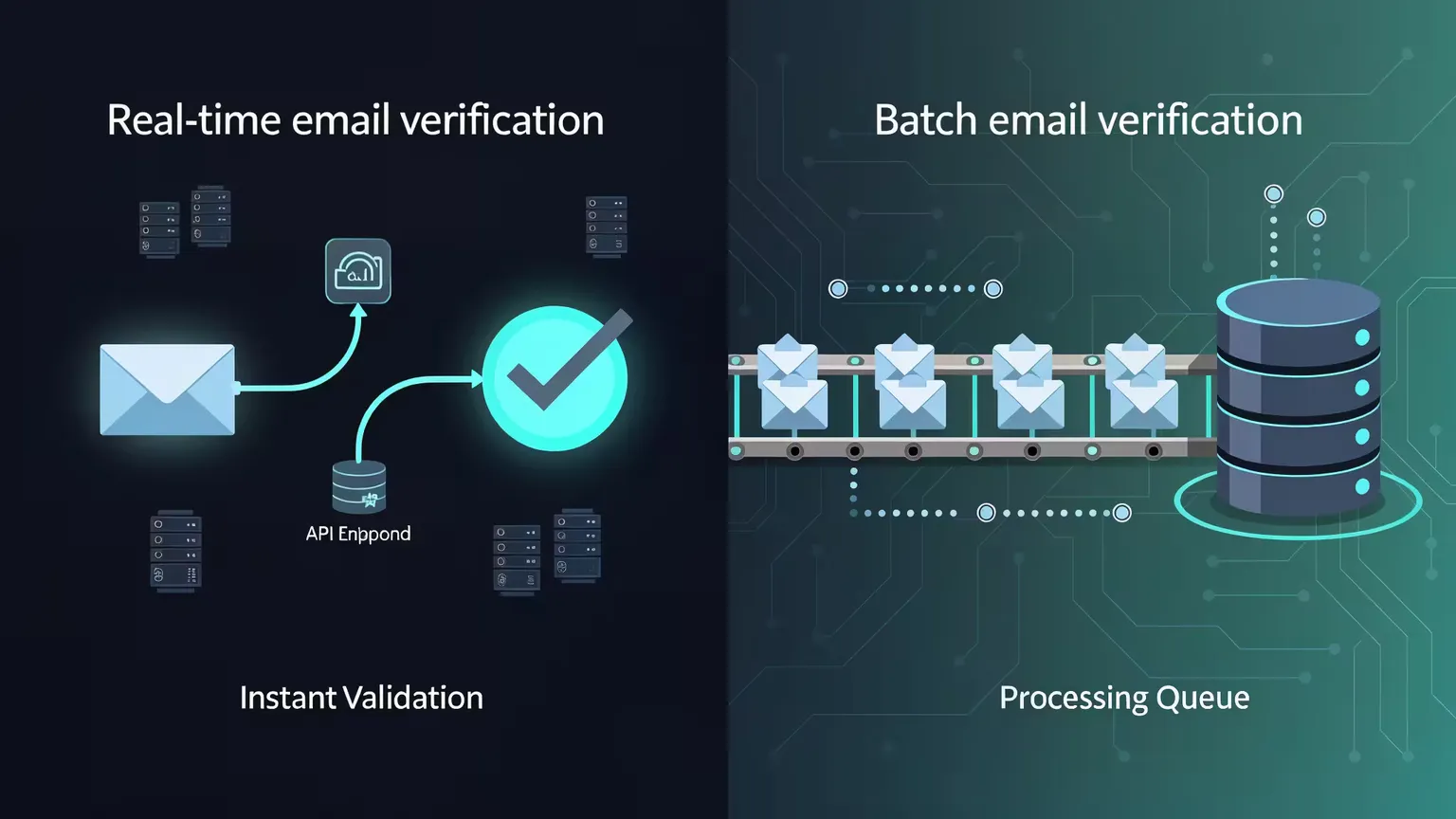
Real-time email verification and batch email verification solve the same core problem — keeping your email list clean — but they do it in fundamentally different ways, at different points in your workflow, and with very different trade-offs. Choosing the wrong approach can cost you money, hurt your sender reputation, or create a frustrating user experience. This guide breaks down when to use each method, how to architect them properly, and how a hybrid strategy can give you the best of both worlds using MailValid's documented API.
Understanding the Core Difference Between Real-Time and Batch Email Verification
Both approaches rely on similar underlying checks — syntax validation, DNS/MX record lookups, SMTP validation, disposable email detection, and role-based address filtering — but the timing and context of those checks changes everything.
What Is Real-Time Email Verification?
Real-time email verification happens at the moment a user submits their email address — typically via a web form, checkout page, app registration screen, or API endpoint. Your system sends a request to a verification API, receives a response, and uses it to accept or reject the address before it ever enters your database.
The key characteristic is synchronous, point-of-entry validation. The user is still present, so you can prompt them to correct a typo or flag a disposable email before it's submitted.
What Is Batch Email Verification?
Batch (bulk) email verification processes a list of email addresses at once, typically as an asynchronous job. You submit a list of addresses to a bulk verification API, the service works through the list, and you retrieve a status for each address once complete.
Batch processing is inherently retrospective. It's used to clean lists that already exist: legacy databases, imported contacts, or accumulated addresses that predate real-time validation. It's also used for periodic email list hygiene — running your subscriber base through verification periodically to catch addresses that have gone stale.
Real-Time Email Verification: Architecture Patterns and Use Cases
Real-time email verification is best understood as a gate between the user and your database. Getting the architecture right means balancing speed, accuracy, and user experience.
The Standard API Integration Pattern
Here's a clean implementation in JavaScript using MailValid's real, documented single-verify endpoint:
// Real-time email verification on form submission
const MAILVALID_API_KEY = 'your_api_key_here';
const MAILVALID_ENDPOINT = 'https://mailvalid.io/api/v1/verify/single';

async function verifyEmailRealTime(email) {
  try {
    const response = await fetch(MAILVALID_ENDPOINT, {
      method: 'POST',
      headers: {
        'X-API-Key': MAILVALID_API_KEY,
        'Content-Type': 'application/json'
      },
      body: JSON.stringify({ email })
    });

    if (!response.ok) {
      // If the API is unreachable, fail open (allow the email through)
      // to avoid blocking legitimate signups during outages
      console.warn('Verification API unavailable — failing open');
      return { allow: true, reason: 'api_unavailable' };
    }

    const data = await response.json();
    const result = data.result;
    // result.status values: 'valid', 'invalid', 'catch_all', 'unknown', 'do_not_mail'
    // result.status_reason gives more detail on why a status was assigned

    return {
      allow: result.status === 'valid' || result.status === 'unknown',
      status: result.status,
      status_reason: result.status_reason,
      is_disposable: result.is_disposable,
      is_role_based: result.is_role_based,
      confidence_score: result.confidence_score
    };
  } catch (error) {
    // Network errors: fail open to protect user experience
    console.error('Email verification error:', error);
    return { allow: true, reason: 'error' };
  }
}

// Attach to your signup form
document.getElementById('signup-form').addEventListener('submit', async (e) => {
  e.preventDefault();
  const email = document.getElementById('email').value.trim();
  const submitButton = document.getElementById('submit-btn');
  submitButton.disabled = true;
  submitButton.textContent = 'Verifying...';

  const verification = await verifyEmailRealTime(email);
  submitButton.disabled = false;
  submitButton.textContent = 'Sign Up';

  if (!verification.allow) {
    console.warn('Address flagged:', verification.status_reason || verification.status);
    // Show a message to the user and let them correct the address
  } else {
    e.target.submit();
  }
});
When Real-Time Email Verification Is the Right Choice
- User registration and signup forms: The highest-value moment to verify. A real person is present and can correct mistakes immediately.
- E-commerce checkout: An invalid email means a lost order confirmation or shipping notification. Verify before the transaction completes.
- Lead generation forms: Gating content downloads or trial signups behind real-time verification improves lead quality.
- Newsletter subscriptions: Prevent fake sign-ups and protect your sender reputation from day one.
- CRM data entry: When sales reps manually enter contact information, a real-time check catches typos before they become dead leads.
- Mobile app onboarding: Validate email during account creation to ensure password reset and notification emails will reach the user.
Performance Considerations for Real-Time API Calls
The biggest concern with real-time email verification is latency. MailValid's documented average response time is under 500ms; the SMTP check step — which confirms the recipient's mail server accepts the address — is typically the slowest part of that. Here's how to handle this gracefully:
- Trigger verification on the
blurevent (when the user leaves the email field) rather than on form submit, so the check runs while the user is still filling out other fields. - Use a loading indicator on the email field to signal that verification is in progress.
- Set a client-side timeout of a few seconds. If the API hasn't responded, fail open and flag the email for batch re-verification later.
- Cache verification results client-side for the session duration to avoid redundant API calls if the user re-submits.
Batch Email Verification: Architecture Patterns and Use Cases
Batch email verification operates on a different paradigm. Instead of blocking or allowing a single address in real time, you're processing many addresses at once to clean an existing dataset.
The Bulk Verification Pattern
Here's a Python implementation showing how to submit a batch job to MailValid's real, documented bulk verification endpoint and poll for results:
import requests
import time

MAILVALID_API_KEY = 'your_api_key_here'
BASE_URL = 'https://mailvalid.io/api/v1'

def submit_batch_verification(email_list):
    """
    Submit a batch of emails for verification.
    MailValid's bulk endpoint accepts up to 10,000 emails per request.
    For larger lists, split into multiple requests.
    """
    endpoint = f'{BASE_URL}/verify/bulk'
    payload = {'emails': email_list}

    response = requests.post(
        endpoint,
        json=payload,
        headers={'X-API-Key': MAILVALID_API_KEY, 'Content-Type': 'application/json'}
    )
    response.raise_for_status()
    job_data = response.json()
    print(f"Batch job submitted. Job ID: {job_data['job_id']}")
    return job_data['job_id']

def poll_for_results(job_id, poll_interval_seconds=30, max_wait_minutes=60):
    """
    Poll the bulk verification job until it completes.
    """
    endpoint = f'{BASE_URL}/verify/bulk/{job_id}'
    max_polls = (max_wait_minutes * 60) // poll_interval_seconds

    for attempt in range(max_polls):
        response = requests.get(
            endpoint,
            headers={'X-API-Key': MAILVALID_API_KEY}
        )
        response.raise_for_status()
        status_data = response.json()
        status = status_data.get('status')  # e.g. 'processing', 'completed'
        print(f"[{attempt + 1}/{max_polls}] Status: {status}")

        if status == 'completed':
            return status_data.get('results')

        time.sleep(poll_interval_seconds)

    raise TimeoutError('Batch job did not complete within max wait time')
For lists in the tens or hundreds of thousands, chunk into multiple 10,000-email requests and process them in sequence, respecting your plan's rate limits.
When Batch Email Verification Is the Right Choice
- Cleaning a legacy database: If you have an existing list that predates your real-time verification implementation, run it through bulk verification before your next campaign.
- Periodic email list hygiene: Even valid addresses go bad over time. Running regular batch verification catches addresses that have become inactive since they were originally validated.
- Pre-campaign cleaning: Before any major send — especially to a list you haven't mailed in months — run a batch verification to protect your sender reputation.
- Imported or merged lists: When you import contacts from a trade show, partner, or acquisition, batch verify the entire import before adding them to your active segments.
- Re-engagement campaign preparation: Before attempting to re-engage dormant subscribers, verify that their addresses are still deliverable.
- Database migration: When switching ESPs or CRMs, use the migration as an opportunity to batch verify and clean the entire list.
Cost Comparison: Real-Time vs Batch
MailValid uses the same per-email pricing for both real-time and bulk verification — there's no separate premium for synchronous calls.
| Plan | Monthly Price | Credits | Per-Email Cost |
|---|---|---|---|
| Free | $0 | 100 (one-time) | — |
| Starter | $15/mo | 10,000 | $0.0015 |
| Growth | $50/mo | 50,000 | $0.001 |
| Scale | $75/mo | 100,000+ | $0.00075 (as low as $0.0006 annual) |
Credits never expire, so credits used for real-time signup validation and periodic batch cleaning draw from the same pool. View full pricing details
The real cost consideration isn't real-time vs. batch pricing — it's the cost of not verifying: elevated bounce rates that risk ESP account suspension, IP reputation damage, and lost inbox placement.
Performance and Accuracy Comparison
- Syntax and format checks: Identical in both modes — instantaneous either way.
- DNS and MX record validation: Equivalent — both modes perform the same DNS lookups.
- SMTP validation: Both modes perform the same SMTP handshake check; batch jobs can afford more retry attempts on temporarily unresponsive servers since there's no user waiting.
- Catch-all detection: Available in both modes via the
is_catch_allfield. - Disposable email detection: Equivalent — both modes check against the same disposable domain data.
Hybrid Email Validation Strategy: Getting the Best of Both Approaches
For most mature organizations, the answer to the real-time vs. batch debate is: use both. A hybrid strategy layers real-time verification at the point of capture with periodic batch cleaning to maintain ongoing list health.
The Three-Layer Hybrid Architecture
- Layer 1 — Real-time gate (point of capture): Every new email address is verified via the single-verify endpoint before entering the database. Invalid and disposable addresses are rejected. Catch-all and role-based addresses are flagged but allowed, with a note in the contact record.
- Layer 2 — Engagement-triggered re-verification: When a contact hasn't opened an email in a while, trigger an individual re-verification call before the next send attempt.
- Layer 3 — Periodic batch hygiene: On a recurring schedule (e.g. quarterly), run the entire active list through the bulk endpoint. This catches addresses that passed real-time verification when they were entered but have since gone stale.
Implementing the Hybrid Strategy in Practice
- Store the verification status and timestamp on every contact record, so you know when an address was last checked and what its status was.
- Define re-verification triggers: time elapsed since last verification, a bounce event received, or an engagement drop below a threshold.
- Poll the bulk job status endpoint (
GET /api/v1/verify/bulk/{job_id}) rather than assuming instant completion for large batches, and update contact records once results come back. - Create suppression lists for addresses that consistently return invalid or non-deliverable statuses, rather than continuing to re-verify them on every cycle.
- Segment your list by
confidence_score, not just a binary valid/invalid flag — a recently verified, actively engaging address is generally safer to mail than a verified-but-never-opened address from over a year ago.
Email Deliverability Impact: Why Your Verification Strategy Matters
Every discussion of real-time vs. batch verification ultimately comes back to email deliverability — the entire point of verifying addresses is to protect your ability to reach the inbox.
The Bounce Rate Threshold That Matters
Major mailbox providers enforce hard thresholds for acceptable bounce and complaint rates (for example, Google's sender requirements flag high spam and hard-bounce rates), and most email service providers (Mailchimp, Klaviyo, SendGrid, etc.) will suspend or limit accounts that exceed their bounce-rate thresholds. Keeping hard bounce rates low is standard best practice for any sender relying on inbox placement.
How Verification Directly Protects Deliverability
SMTP validation — the deepest check performed in both real-time and batch modes — confirms whether a mailbox is likely to accept mail at the recipient's server, which directly reduces hard bounces, the primary driver of sender reputation damage. Disposable email detection prevents sign-ups from temporary addresses that will be abandoned and eventually bounce. Catch-all detection flags domains that accept all incoming mail regardless of whether the specific mailbox exists, since these are higher-risk sends.
Common Mistakes to Avoid in Your Email Validation Strategy
Mistakes in Real-Time Verification
- Failing closed on API errors: If your verification API is down and you block all form submissions, you're losing real signups. Fail open and flag for later batch re-verification instead.
- Blocking "risky" addresses too aggressively: Catch-all and role-based addresses aren't necessarily bad. A catch-all domain might belong to a legitimate small business. Consider flagging these for lower-frequency sending rather than outright rejection.
- Verifying on every keystroke: Triggering verification on the
inputevent instead ofblurorsubmitwastes API credits and creates a poor user experience. Verify once, when the user has finished typing.
Mistakes in Batch Verification
- Running batch verification too infrequently: Annual cleaning is not enough for actively used lists. Quarterly is a reasonable minimum; monthly is better for high-volume senders.
- Not segmenting results before sending: Treating all "valid" results as equally safe ignores the nuance of catch-all detection and confidence scoring. Layer verification results with engagement data for the best decisions.
- Verifying but not suppressing: The batch job is only valuable if you act on the results. Suppress invalid addresses in your ESP promptly after every batch run.
- Forgetting to re-verify after list imports: Every time you import a new list — from any source — run it through batch verification before the first send.
Conclusion: Building a Robust Email Validation Strategy With Real-Time and Batch Verification
Real-time email verification and batch email verification are complementary layers of a complete email validation strategy. Real-time verification is your first line of defense, catching bad addresses at the moment of entry when users can still correct mistakes. Batch email verification is your ongoing maintenance system, keeping your list clean as addresses naturally decay over time.
Mature email programs use both. MailValid supports this directly: the same API key and the same per-email pricing tiers work for both the single-verify endpoint (real-time gating) and the bulk endpoint (periodic list hygiene), with a consistent response schema across both.
Ready to implement real-time and batch verification? Start your free trial at MailValid.io — no credit card required, with 100 free credits to test both modes in your own environment.
Last Updated - 21 September 2026
MailValid Team
Email verification experts
Join teams that verify before they send
Stop letting bad emails hurt your deliverability
100 free credits. From $0.0008/email after. Credits never expire. No credit card required.