
You can now verify email addresses without leaving ChatGPT. With the MailValid app connected, you type a request like "verify this email" or attach a CSV, and ChatGPT returns a full verification result: status, confidence score, and risk flags for disposable, role-based and catch-all addresses.
This guide walks through the whole process in five steps, from sign-up to reading your results. Watch the 2-minute video, or follow the written steps below.
Video chapters
| Time | Chapter |
|---|---|
| 0:00 | Intro: verify emails in ChatGPT |
| 0:07 | Step 1: Sign up for MailValid |
| 0:14 | Step 2: Connect MailValid to ChatGPT |
| 0:23 | Step 3: The 12 tools in 4 groups |
| 0:46 | Step 4: Verify a single email |
| 1:13 | Step 5: Verify a CSV list |
| 1:36 | How to read your results |
| 2:00 | The MailValid workspace |
What you need
| Requirement | Details |
|---|---|
| A MailValid account | Free, with 100 credits and no credit card |
| ChatGPT | An account where you can connect apps (plugins) |
| Your emails | One address typed in the chat, or a CSV file of addresses |
One credit verifies one email address. Results marked "unknown" don't use a credit.
Step 1: Sign up for MailValid
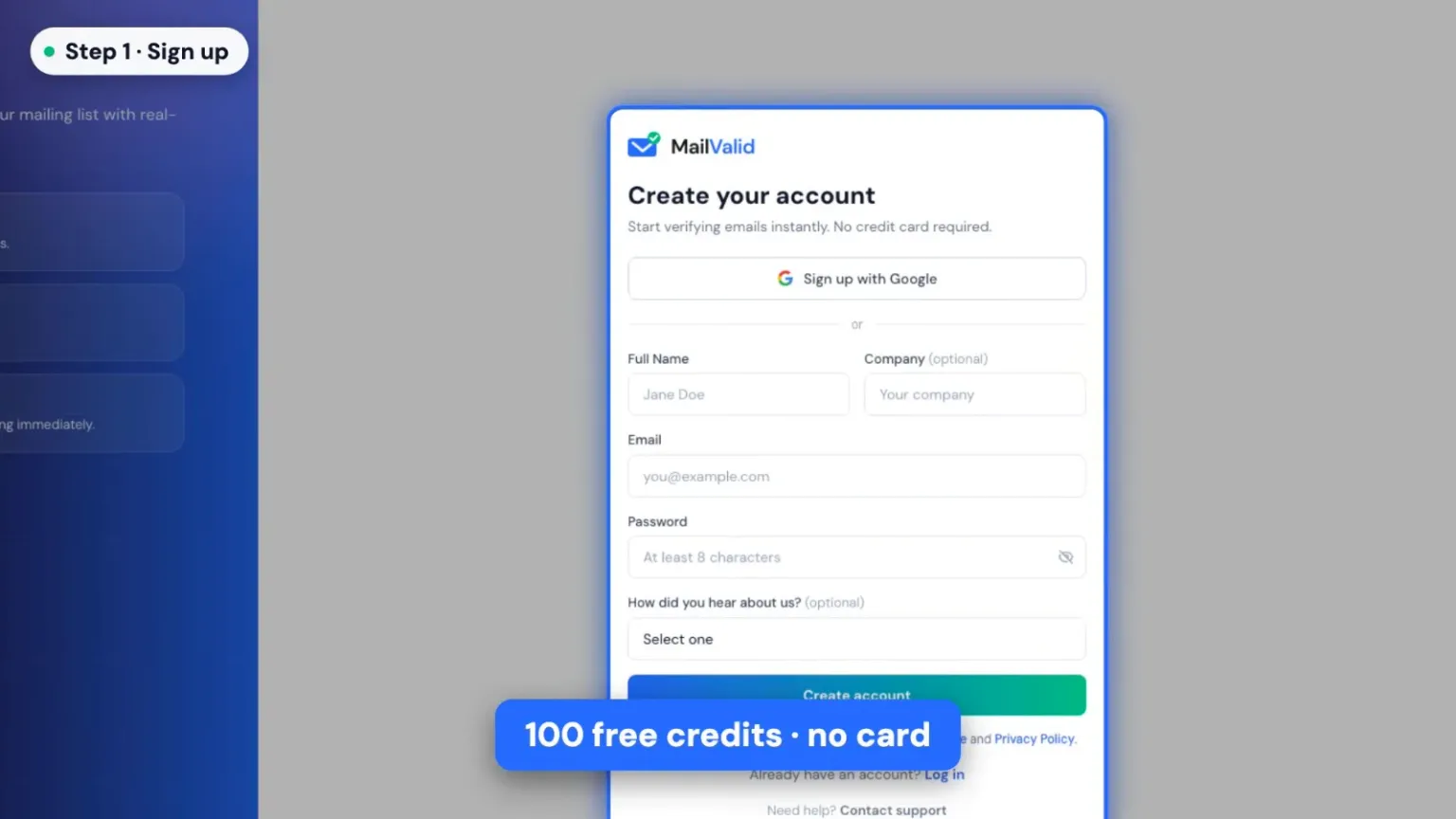
Go to mailvalid.io and click Start Free. You can sign up with Google or with an email and password. Every new account gets 100 free credits, with no credit card required.
Step 2: Connect MailValid to ChatGPT
- In ChatGPT, open the sidebar and click Plugins.
- Search for MailValid and click Connect.
- In a new chat, type @MailValid and select it from the list.
ChatGPT now sends your email verification requests to MailValid.
Step 3: See what MailValid can do
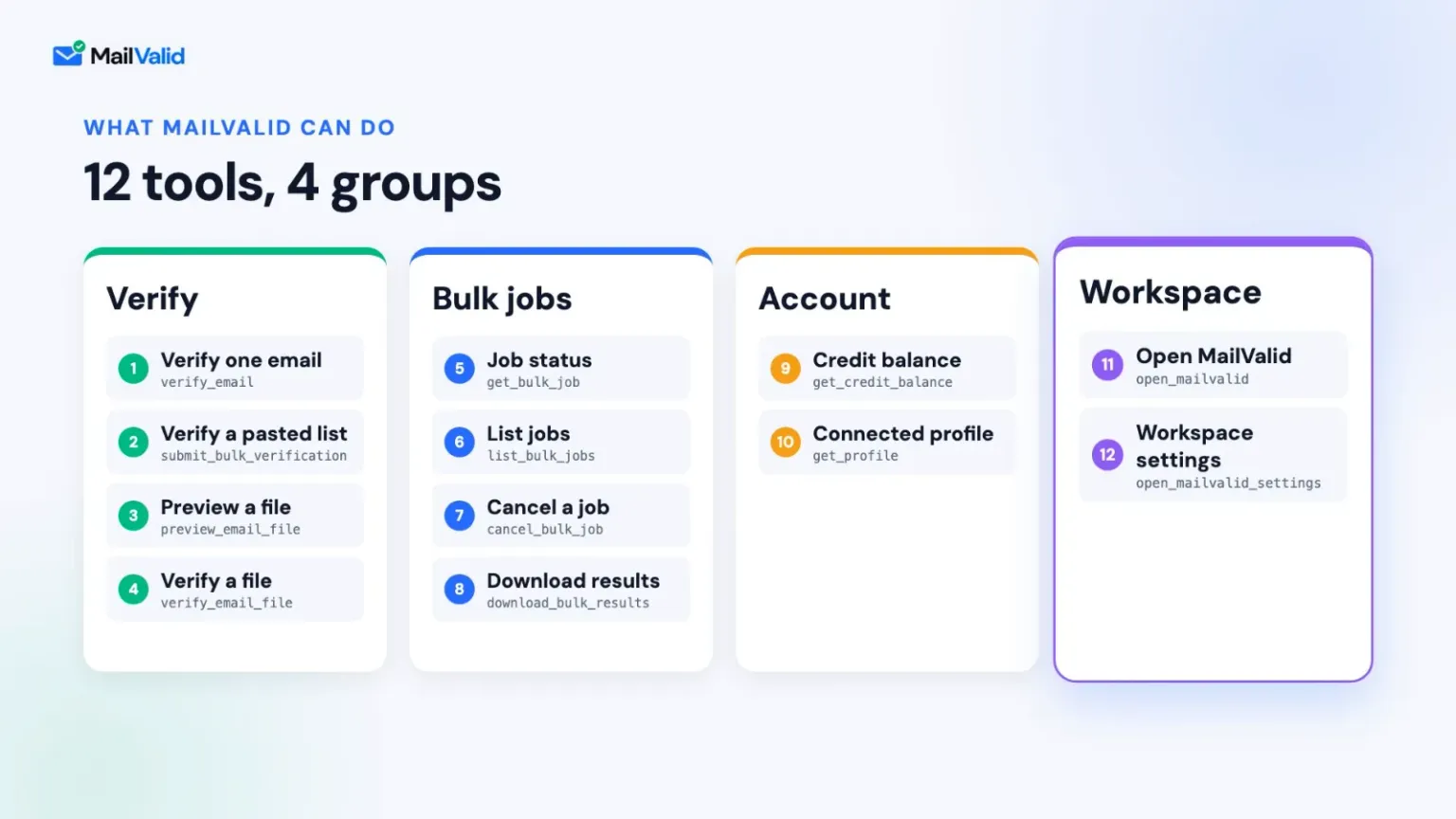
Ask "@MailValid list all the tools available with mailvalid" to see everything the app can do. There are 12 tools in 4 groups:
| Group | Tools | Use it to |
|---|---|---|
| Verify | Verify one email, Verify a pasted list, Preview a file, Verify a file | Check a single address or a whole list |
| Bulk jobs | Job status, List jobs, Cancel a job, Download results | Track and download large verification jobs |
| Account | Credit balance, Connected profile | See how many credits you have left |
| Workspace | Open MailValid, Workspace settings | Open the full MailValid workspace inside ChatGPT |
Step 4: Verify a single email address
Type:
@MailValid verify this email: name@company.com
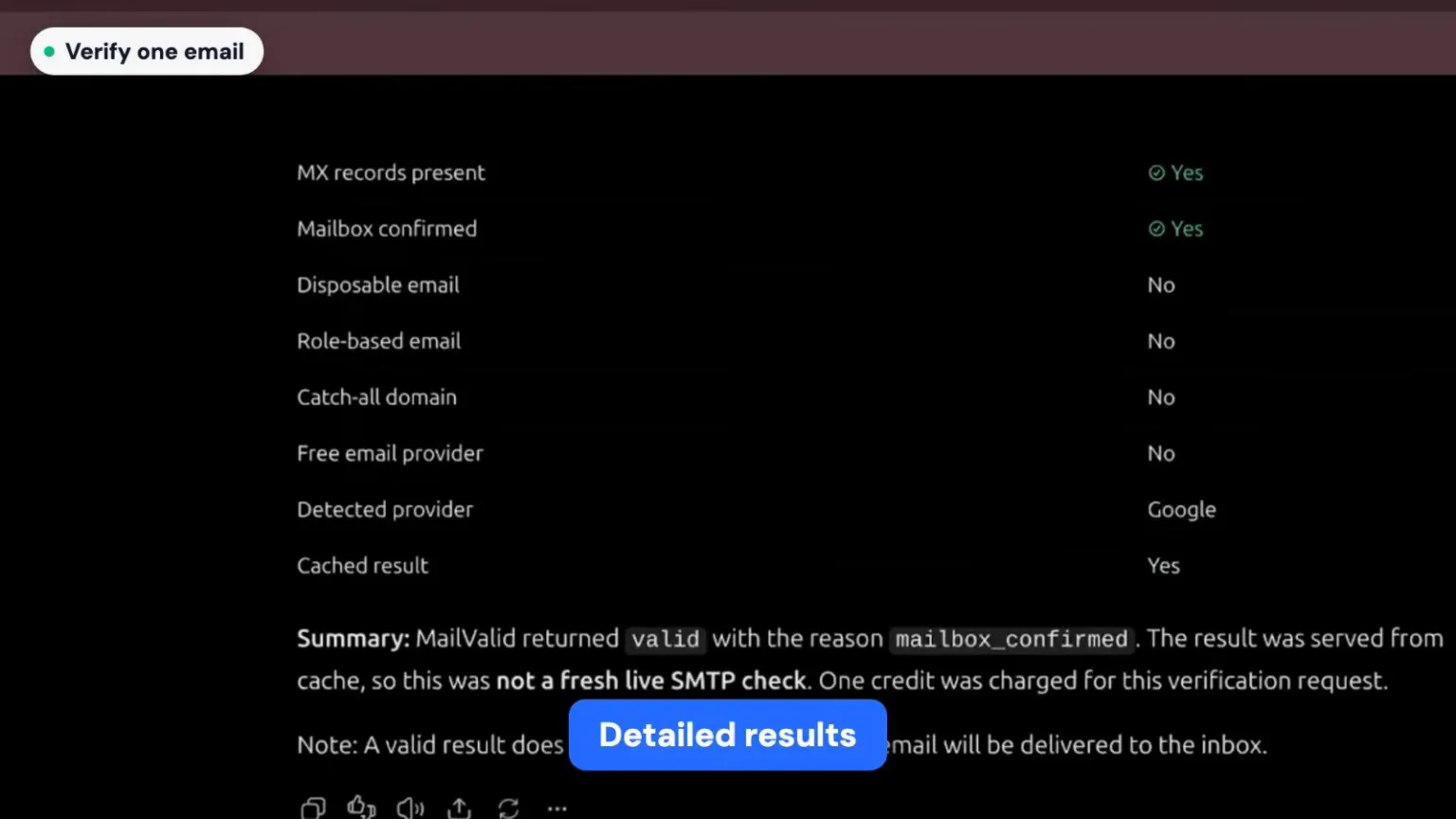
MailValid checks the address and ChatGPT shows the full result in the chat:
| What you get | What it tells you |
|---|---|
| Verdict | Status, a confidence score from 0 to 100, and the mail server's SMTP response |
| Deliverability checks | Whether the syntax is valid, the domain exists, MX records are present and the mailbox is confirmed |
| Risk flags | Whether it's a disposable, role-based, catch-all or free-provider address |
A summary at the end explains the result in plain words, including why the address got its status.
Step 5: Verify an email list from a CSV file
- Attach your CSV file to the chat.
- Type @MailValid verify these emails.
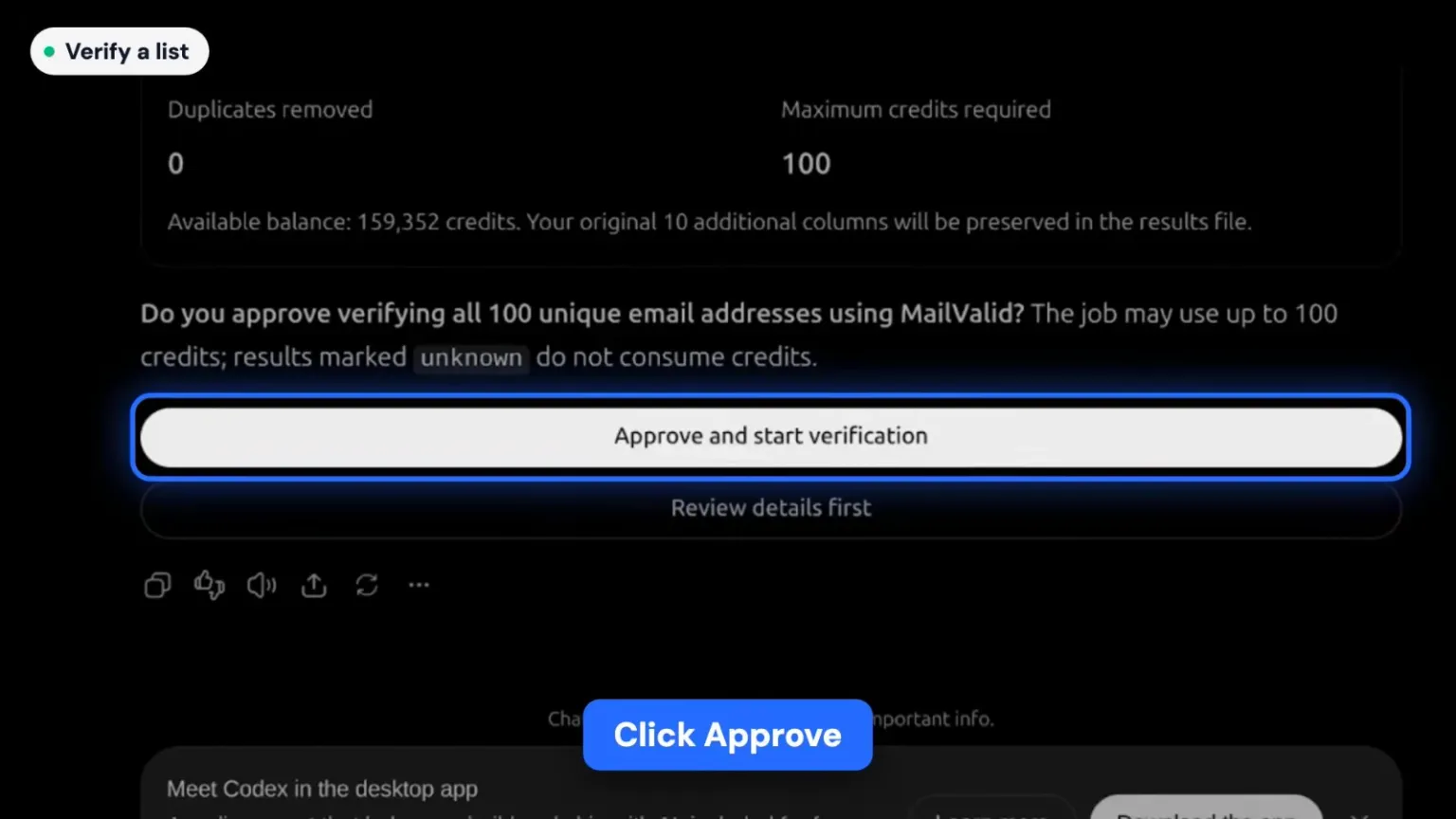
- MailValid previews the file first: how many unique addresses it found, how many duplicates it removed, and the maximum number of credits the job can use.
- Click Approve and start verification.
- When the job finishes, click Download results CSV. Your original columns are kept, with the verification columns added.
Nothing is charged before you approve, and results marked "unknown" don't use credits. In the video, a 100-email list costs at most 100 credits.
How to read your results
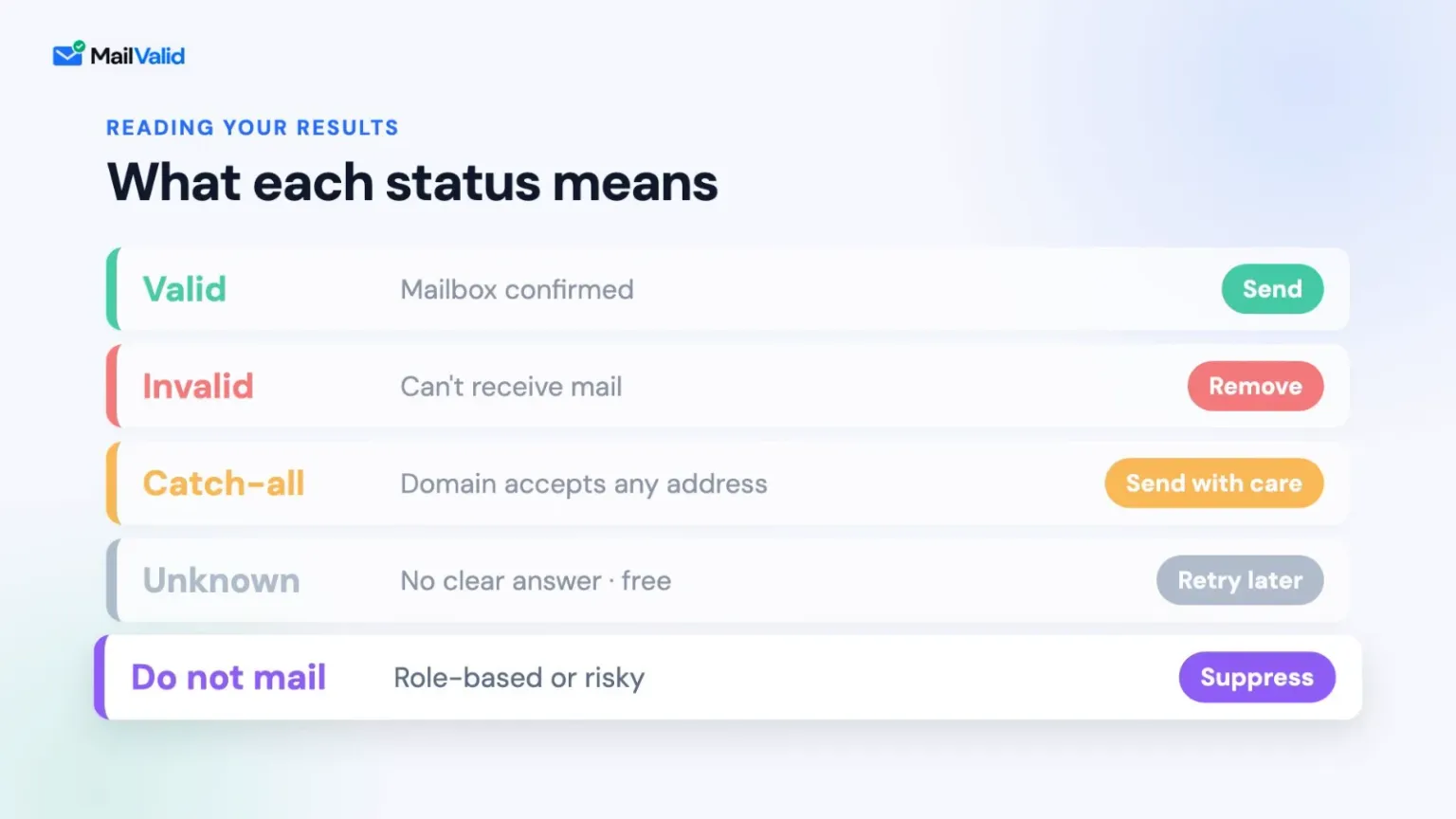
Every address gets one of five statuses:
| Status | What it means | What to do |
|---|---|---|
| Valid | Mailbox confirmed | Send |
| Invalid | The address can't receive mail | Remove it |
| Catch-all | The domain accepts any address, so the mailbox can't be confirmed | Send with care |
| Unknown | No clear answer from the mail server | Retry later (free) |
| Do not mail | Role-based or risky address | Suppress it |
Catch-all addresses need the most judgement. Our guide to catch-all domain detection explains when it's safe to send to them.
Bonus: the MailValid workspace inside ChatGPT
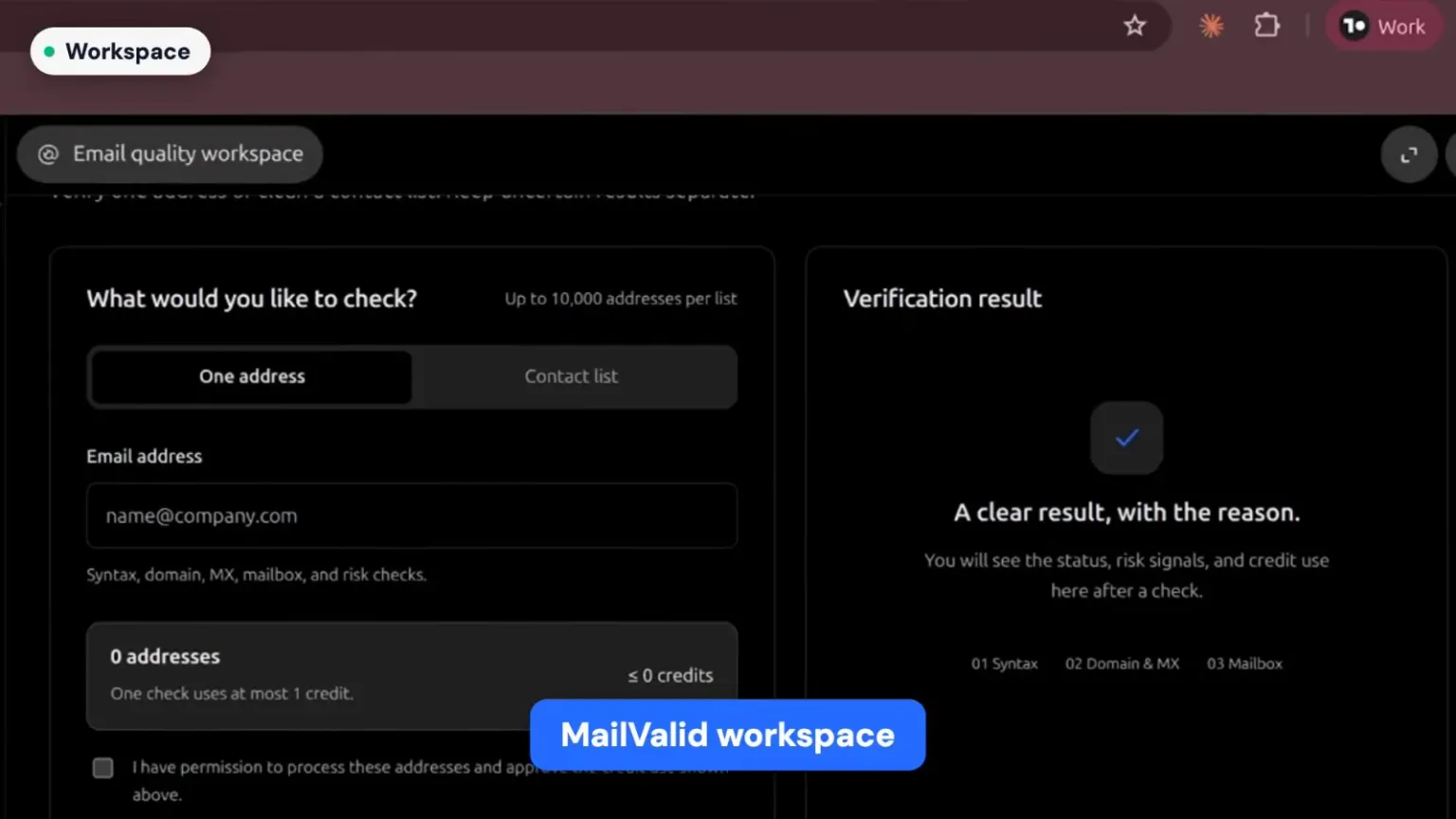
Type @MailValid open mailvalid to open the email quality workspace without leaving ChatGPT. Check one address or a contact list of up to 10,000 addresses, and see each result with its reason, risk signals and credit use.
Prompts used in the video
| Task | Prompt |
|---|---|
| See all tools | @MailValid list all the tools available with mailvalid |
| Verify one email | @MailValid verify this email: name@company.com |
| Verify a list | Attach a CSV, then: @MailValid verify these emails |
| Open the workspace | @MailValid open mailvalid |
Who this is for
Sales teams, SDRs, founders, recruiters and marketers who already work in ChatGPT and want to clean a list before cold outreach or a newsletter, without exporting it to another tool. Removing invalid addresses before you send keeps your bounce rate low and protects your sender reputation. For the full routine, see how to reduce your email bounce rate.
Prefer another AI tool? MailValid also connects to Claude, Cursor and VS Code through its MCP server. See the complete guide to MCP for email verification.
FAQ
Can I verify emails in ChatGPT for free?
Yes. A new MailValid account includes 100 free credits with no credit card, so you can verify up to 100 email addresses in ChatGPT before paying anything. After that, see MailValid pricing.
How do I connect MailValid to ChatGPT?
Open the ChatGPT sidebar, click Plugins, search for MailValid and click Connect. Then type @MailValid in a chat and select it.
Can ChatGPT verify a whole email list?
Yes. Attach a CSV file and ask "@MailValid verify these emails". MailValid previews the file, removes duplicates, shows the maximum credits the job can use, and starts only after you approve. You can download the results as a CSV.
Does MailValid send an email to check an address?
No. MailValid checks the syntax, domain, MX records and mailbox without sending a message to the address.
Am I charged for "unknown" results?
No. Unknown results don't use a credit, so you can retry them later for free.
Try it yourself. Start free with MailValid: 100 credits, no credit card. Then type @MailValid in ChatGPT.
MailValid Team
Email verification experts
Join teams that verify before they send
Stop letting bad emails hurt your deliverability
100 free credits. From $0.0008/email after. Credits never expire. No credit card required.