
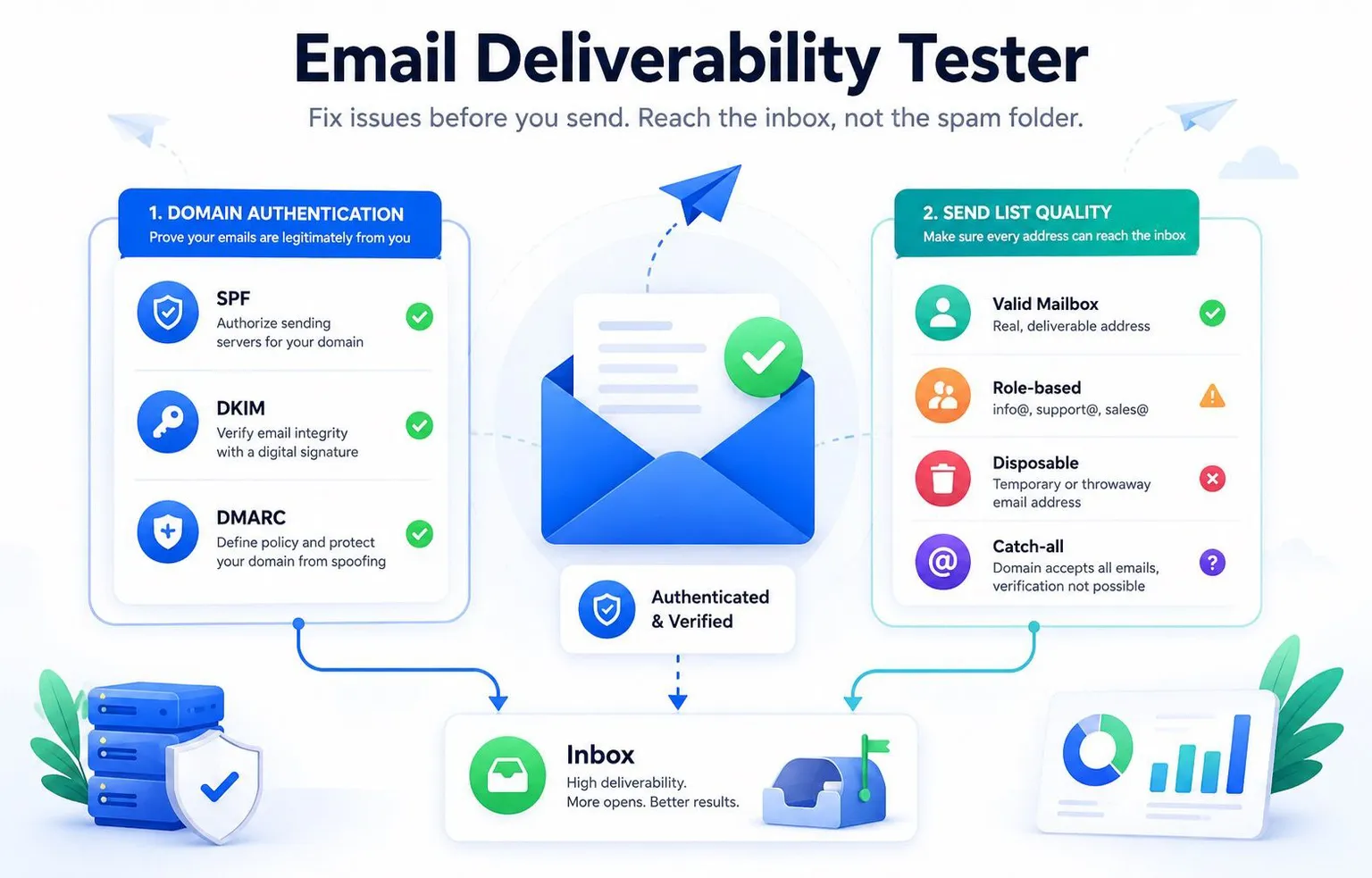
An email deliverability tester checks whether your outgoing mail is set up to reach the inbox instead of spam or bouncing outright - covering domain authentication (SPF, DKIM, DMARC), sender reputation, and whether the individual addresses on your send list are real, deliverable mailboxes.
Most teams only find out something's wrong after open rates drop or a campaign gets flagged. Testing deliverability before you send catches the two most common failure points - broken authentication and a stale send list - while they're still cheap to fix.
The two things a deliverability test actually needs to check
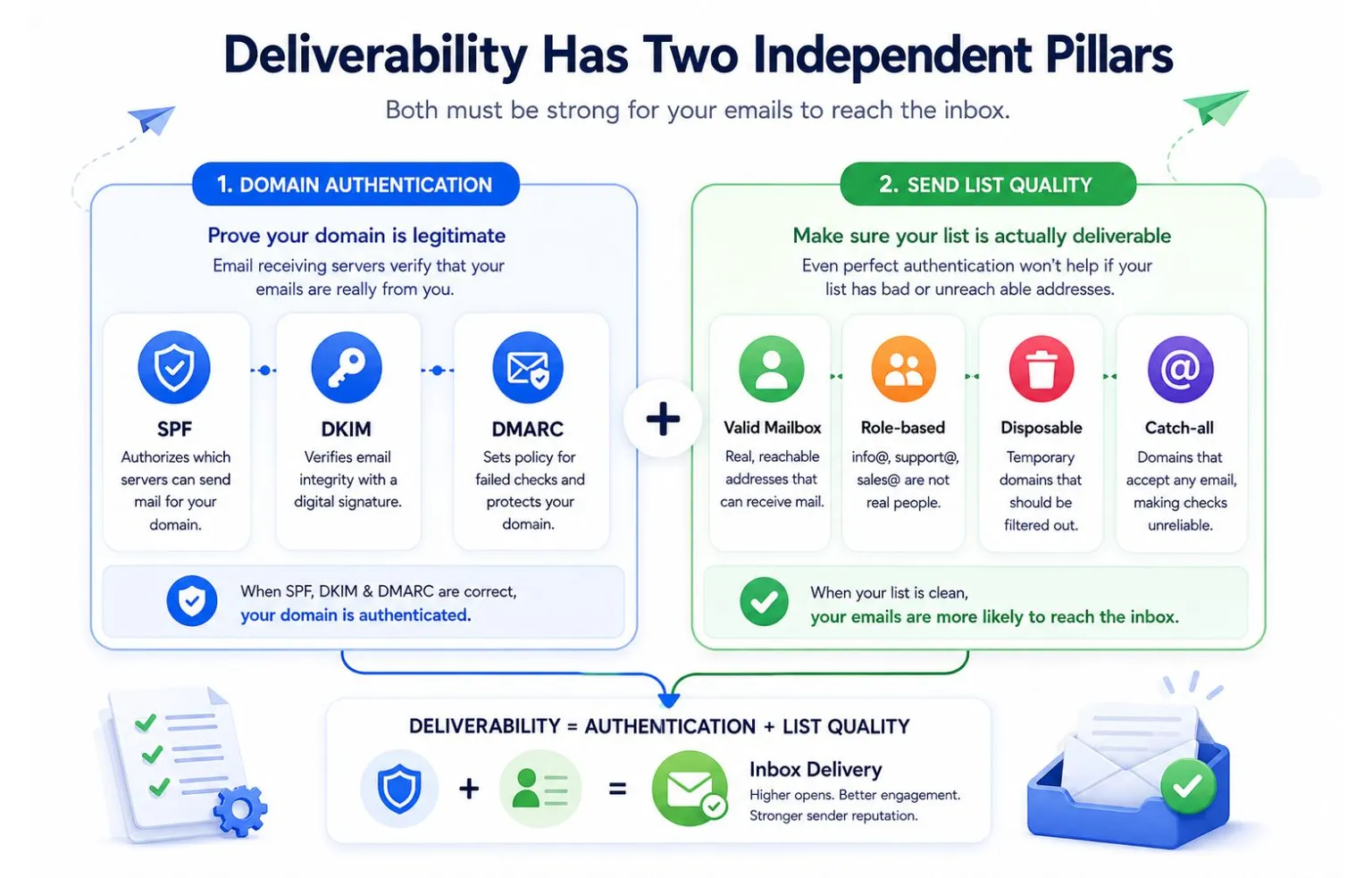 Deliverability has two independent failure modes, and most "deliverability testing" only covers one of them:
- Is your domain authenticated correctly? SPF, DKIM, and DMARC tell receiving mail servers that your messages are legitimately from you, not spoofed. Get any of these wrong and even a perfectly clean send list can land in spam.
- Is your send list actually deliverable? Authentication can be flawless and you'll still tank your sender reputation if 15% of your list is dead addresses, role accounts, or disposable domains. This is the half most "deliverability checkers" skip entirely, because it requires checking individual addresses, not just DNS records.
How to test your domain authentication
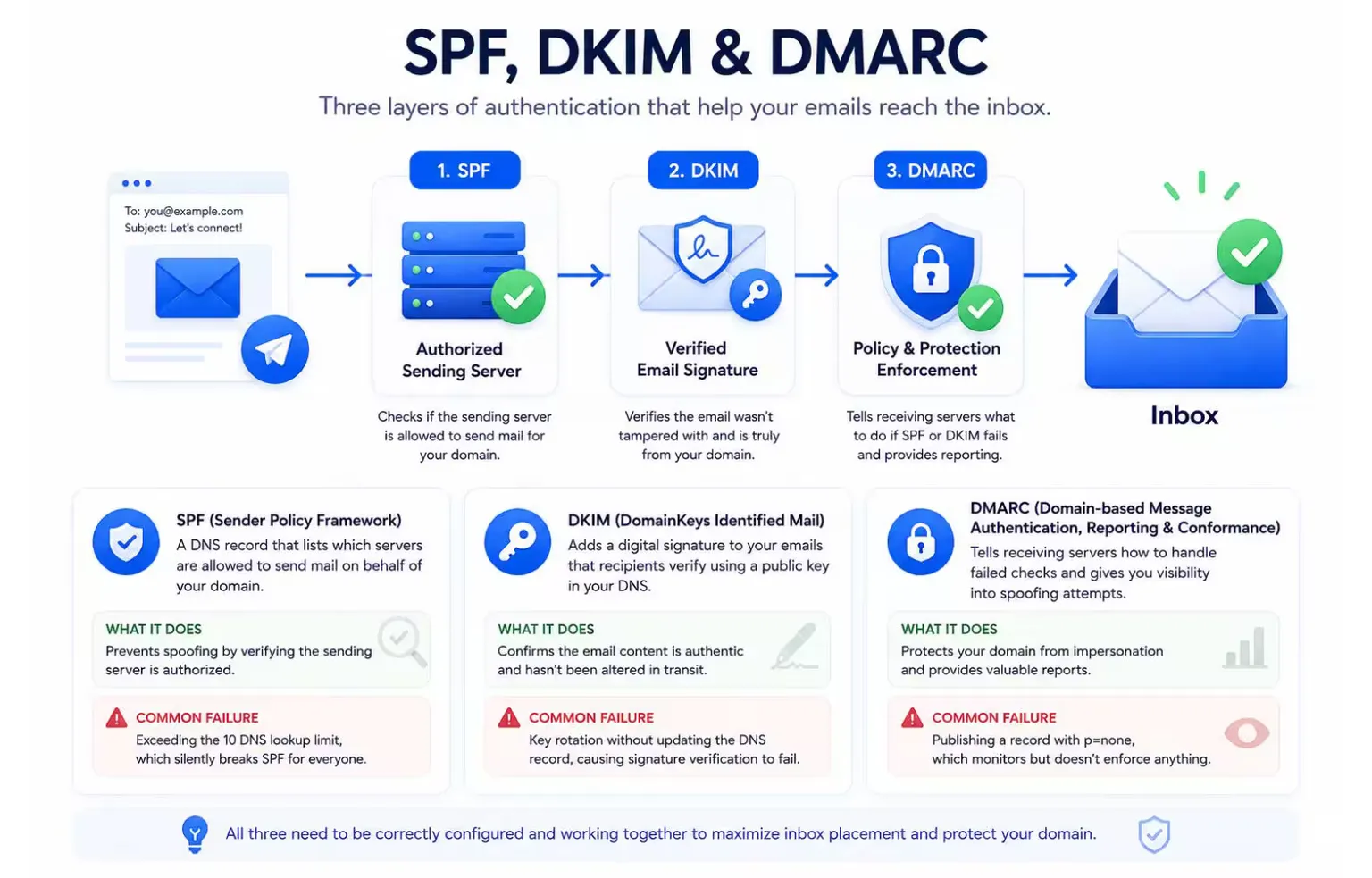
SPF (Sender Policy Framework) - a DNS record listing which servers are allowed to send mail for your domain. A common failure: exceeding the 10 DNS lookup limit, which silently breaks SPF for everyone, not just the sender that pushed it over.
DKIM (DomainKeys Identified Mail) - a cryptographic signature added to your emails, verified against a public key in your DNS. A common failure: key rotation without updating the DNS record, which causes every signed email to fail verification until someone notices.
DMARC (Domain-based Message Authentication) - tells receiving servers what to do when SPF or DKIM fails (quarantine, reject, or do nothing), and gives you reporting on spoofing attempts against your domain. A common failure: publishing a DMARC record with no enforcement policy (p=none), which provides visibility but doesn't actually stop anything.
To check all three, look up your domain's TXT records directly, or use a dedicated checker for each, MailValid's own SPF, DKIM, and DMARC checkers walk through exactly what's misconfigured rather than just returning pass/fail.
How to test your send list
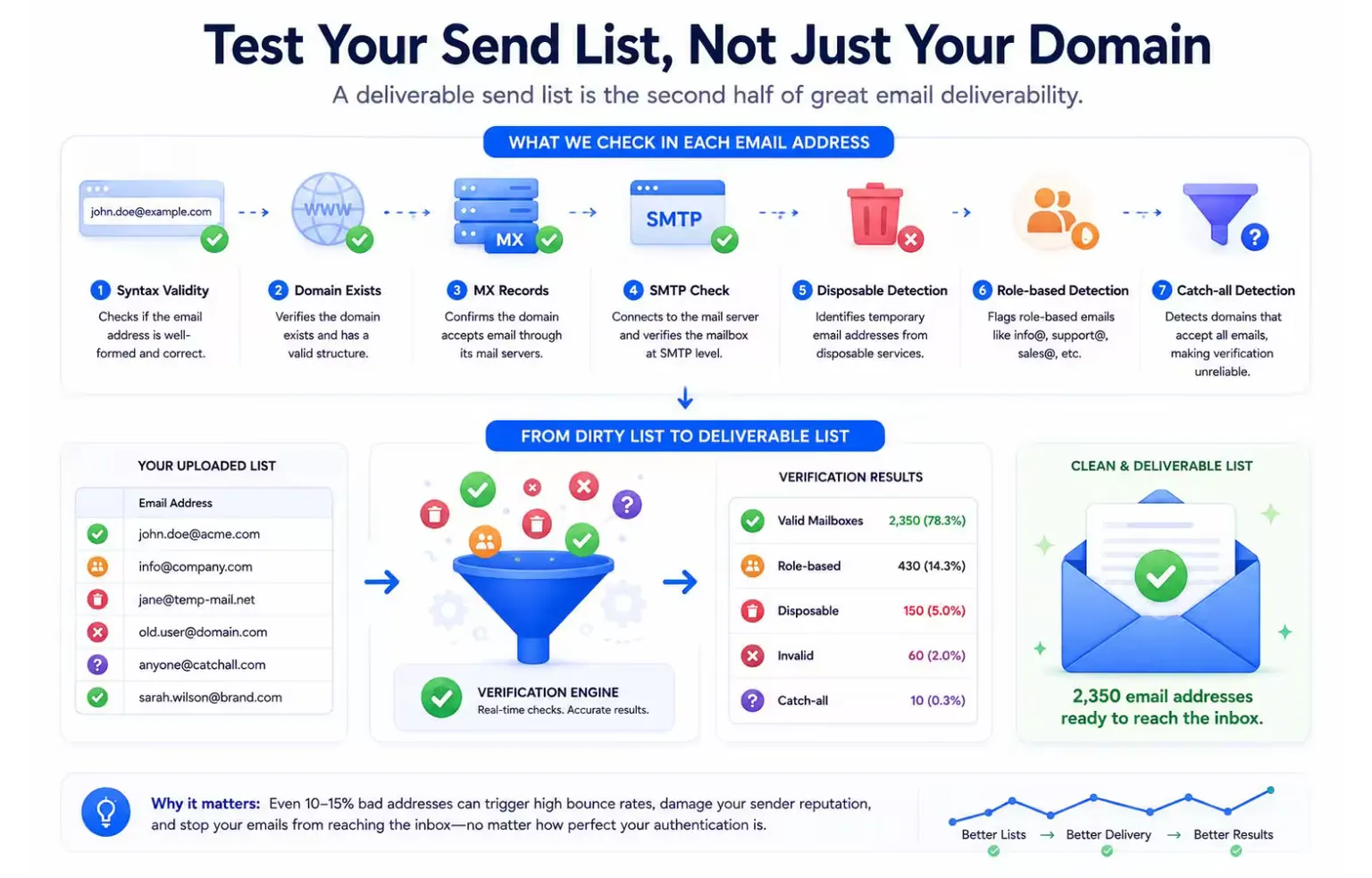 This is the step most deliverability guides skip, and it's the one that does the most damage silently. A send list test checks each address for:
- Syntax validity - is it even a well-formed email address?
- Domain and MX records - does the domain exist and accept mail?
- Mailbox existence (SMTP-level check) - does the specific mailbox exist, confirmed without sending an actual message?
- Disposable domain detection - is it a temporary address from a service like Mailinator?
- Role-based detection - is it
info@orsupport@rather than a real person? - Catch-all detection - does the domain accept mail at any address, making individual confirmation impossible?
A list with even 10-15% bad addresses will tank your sender reputation over a few sends, even if every email is technically formatted correctly, because the bounces are what internet service providers actually track.
A simple pre-send testing checklist
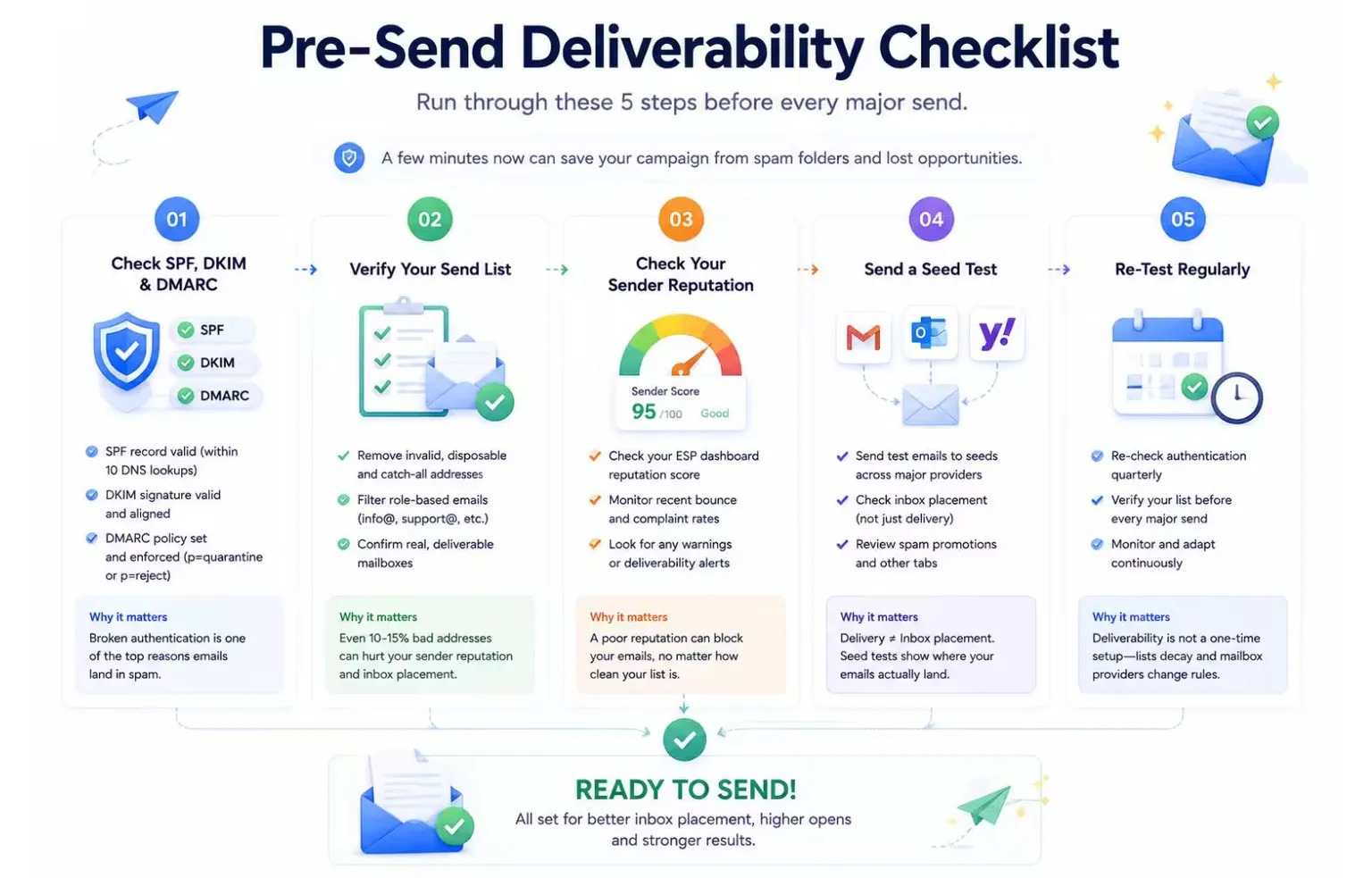 1. Check SPF, DKIM, and DMARC are all correctly published and not silently broken (SPF lookup limit, DKIM key mismatch, DMARC enforcement level).
2. Run your list through a verification pass before every major send, not just once when the list was built. Lists decay at roughly 2-3% a month.
3. Check your sender reputation via your email service provider's dashboard or a third-party sender score tool.
4. Send a seed test to a handful of addresses across major providers (Gmail, Outlook, Yahoo) to confirm inbox placement, not just delivery.
5. Re-test quarterly at minimum - deliverability isn't a one-time setup, it's an ongoing state that decays without maintenance.
1. Check SPF, DKIM, and DMARC are all correctly published and not silently broken (SPF lookup limit, DKIM key mismatch, DMARC enforcement level).
2. Run your list through a verification pass before every major send, not just once when the list was built. Lists decay at roughly 2-3% a month.
3. Check your sender reputation via your email service provider's dashboard or a third-party sender score tool.
4. Send a seed test to a handful of addresses across major providers (Gmail, Outlook, Yahoo) to confirm inbox placement, not just delivery.
5. Re-test quarterly at minimum - deliverability isn't a one-time setup, it's an ongoing state that decays without maintenance.
Frequently asked questions
How often should I test my email deliverability? Before every major campaign at minimum, and as an ongoing quarterly check even between campaigns - both domain authentication and list health degrade over time without anyone touching them.
Can I test deliverability without sending a real email? Yes, for both halves of the check. SPF/DKIM/DMARC are DNS lookups - no email involved. Individual address validity can be confirmed via SMTP-level verification, which checks whether a mailbox exists without a message ever landing in it.
What's the difference between email deliverability and email bverification? Email Deliverability is the broader outcome - whether your email reaches the inbox - determined by both domain authentication and list quality. Email Verification specifically refers to checking whether individual addresses are real and reachable; it's one of the two inputs to deliverability, not a synonym for it.
Is a high sender reputation enough on its own? No. A well-reputed sender can still get flagged sending to a list full of dead addresses - the bounce rate from that one send can damage reputation built over months. Reputation and list quality reinforce each other; neither substitutes for the other.
Do free deliverability checkers cover everything? Most free tools check DNS-level authentication (SPF/DKIM/DMARC) only. Very few also verify individual mailbox-level deliverability, since that requires SMTP-level checks against each address rather than a single DNS lookup.
Ready to check your list before your next send? Get 100 free credits no credit card required.
Last updated - 12 August 2026
MailValid Team
Email verification experts
Join teams that verify before they send
Stop letting bad emails hurt your deliverability
100 free credits. From $0.0008/email after. Credits never expire. No credit card required.